Panel Drawing
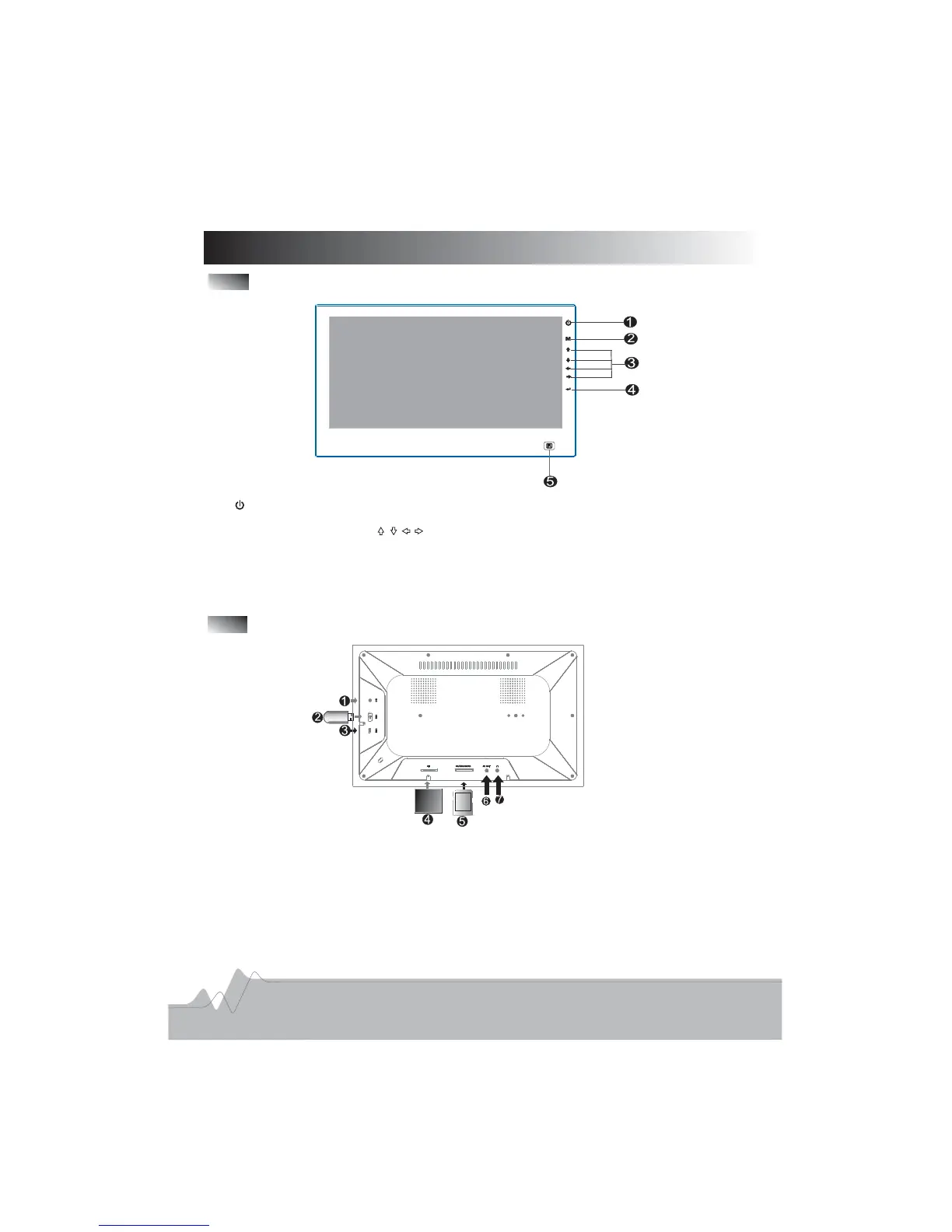
Front Panel
1 To open or close the player
2 M button To go to the main menu
3 Direction Buttons Use buttons to select the menu it m
4 ENTER To enter playback status or to confirm your selections
5 Remote Control Receiver
.: .
.: .
.: .
.: .
.
e
Rear Panel
1 DC 9 5V Jack
2 USB Port To connect to an external USB device
3 Mini USB Port To connect to a computer
4 CF Card Slot
5 SD MMC MS XD Card Slot
6 AV Output Jack To connect to a TV
7 Earphone Jack
..
.: .
.: .
.
./ / /
.: .
.
4



 To Next Page