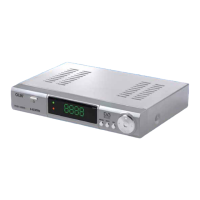
HVBT‐5200USERMANUAL
HVBT‐5200_User_Manual_V1
REMOTECONTROL
KeyFunction
1 POWER Press POWER key to ON / OFF the machine
2 TV/RADIO
Press TV/RADIO key to switch between TV program and Radio
program
3
NUMERIC
BUTTON (0~9)
0-9 numeral buttons, for input of numbers or for selecting a TV
channel
4 FAV Display favorites channel
5 INFO
Press INFO. Key to display the information bar during watch
program.
6 MENU Display menu, press again to exit current menu
7 UP/DOWN Move selection up/down within menus and lists
8 CH+/CH- Select next/previous channel
9 PREV SWITCH TO LAST PROGRAMME
10 BACKWORD Reverse fast when playing program
11 PLAY Playing the program during watch PVR program
12 STOP
Press STOP key to stop recording program or stop program
during watch PVR program.
13 SUB /CC Switch between different subtitles
14 TEXT TELETEXT function key
15 FUNCTION KEY FUNCTION KEY
16 MUTE Disable Audio output
17 RECALL Recall last channel while watching digital TV or listening to radio
18 EPG Press EPG key to display 7 days EPG information
19 EXIT Back to previous menu without saving
20 OK To confirm your choice
21 LEFT/RIGHT
The LEFT/RIGHT buttons increases or decreases the audio
output volume Within a menu, press the LEFT button to return
to previous menu and the RIGHT button to enter a sub-menu
22 VOL+/VOL- Increase or decrease the audio output volume
23 NEXT Switch to next program
24 FORWARD Fast forward when playing program
25 USB Access to external hard drive and firmware upgrade
26 PAUSE Pause the program during watch program
27 HDMI Change output picture resolution
28 AUDIO Press AUDIO key to set the audio track and audio mode
NOTE:Somefeaturesonthisremoterelyonthefeaturebeingavailable duringthe
broadcast.Buttonmaynotrespondiffunctionisnotavailable.
-7-


 To Next Page