HVBTR1200‐004A
11|Page
5. Playing your recordings (Manual Page 18)
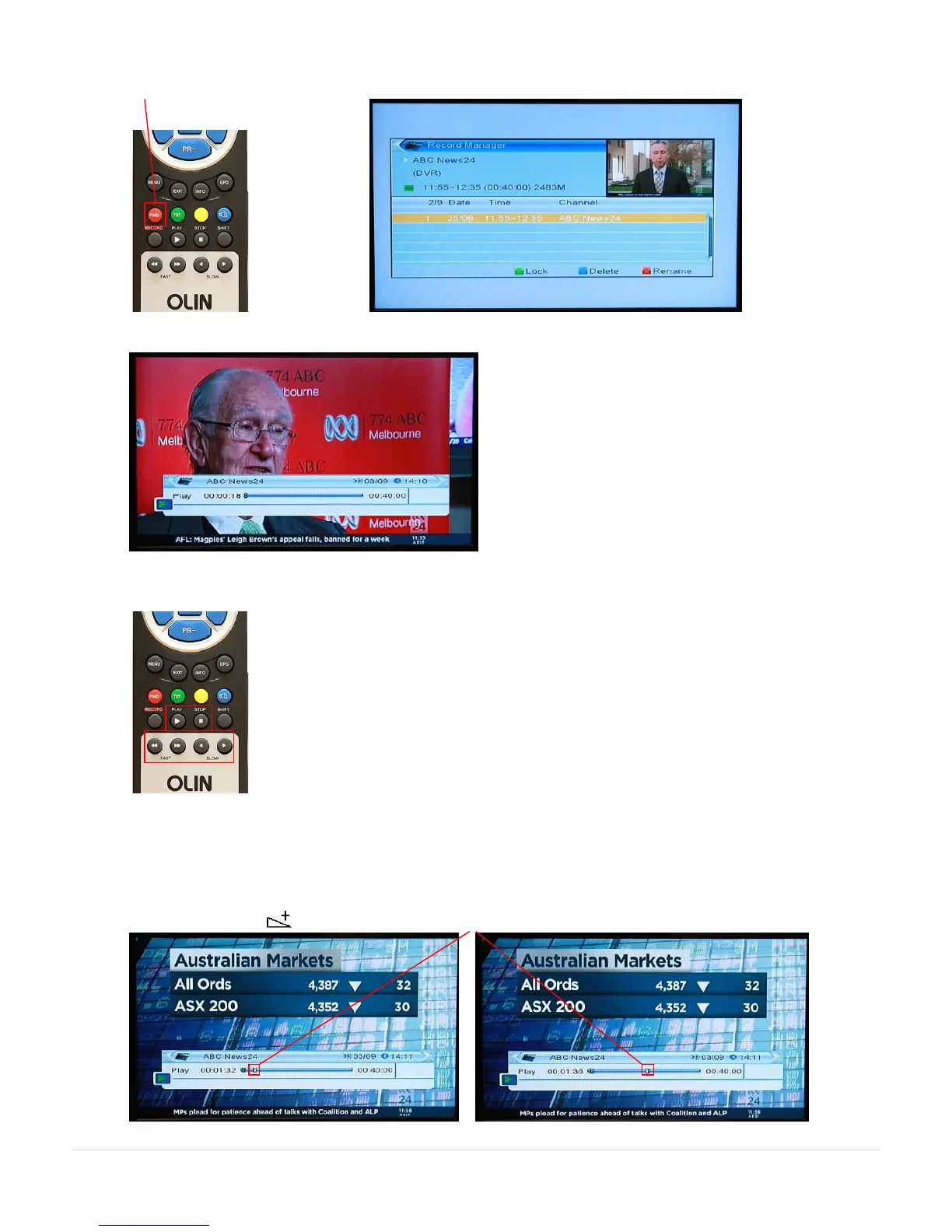
FIND key will display the Record Manager
Press OK key to begin playing.
Note: EXIT key will clear the recording information from the screen.
The control keys on the RCU perform the usual functions (PLAY / STOP / FAST / SLOW).
Fast will action both Fast Forward and Fast Reverse (X2 / X4 / X8 / X16 / X24)
Jump function can make it much faster to move backward and forward through a recording.
Example – press the (right direction) key to advance the jump marker (example is to half way).



 To Next Page