HVBTR1200‐004A
15|Page
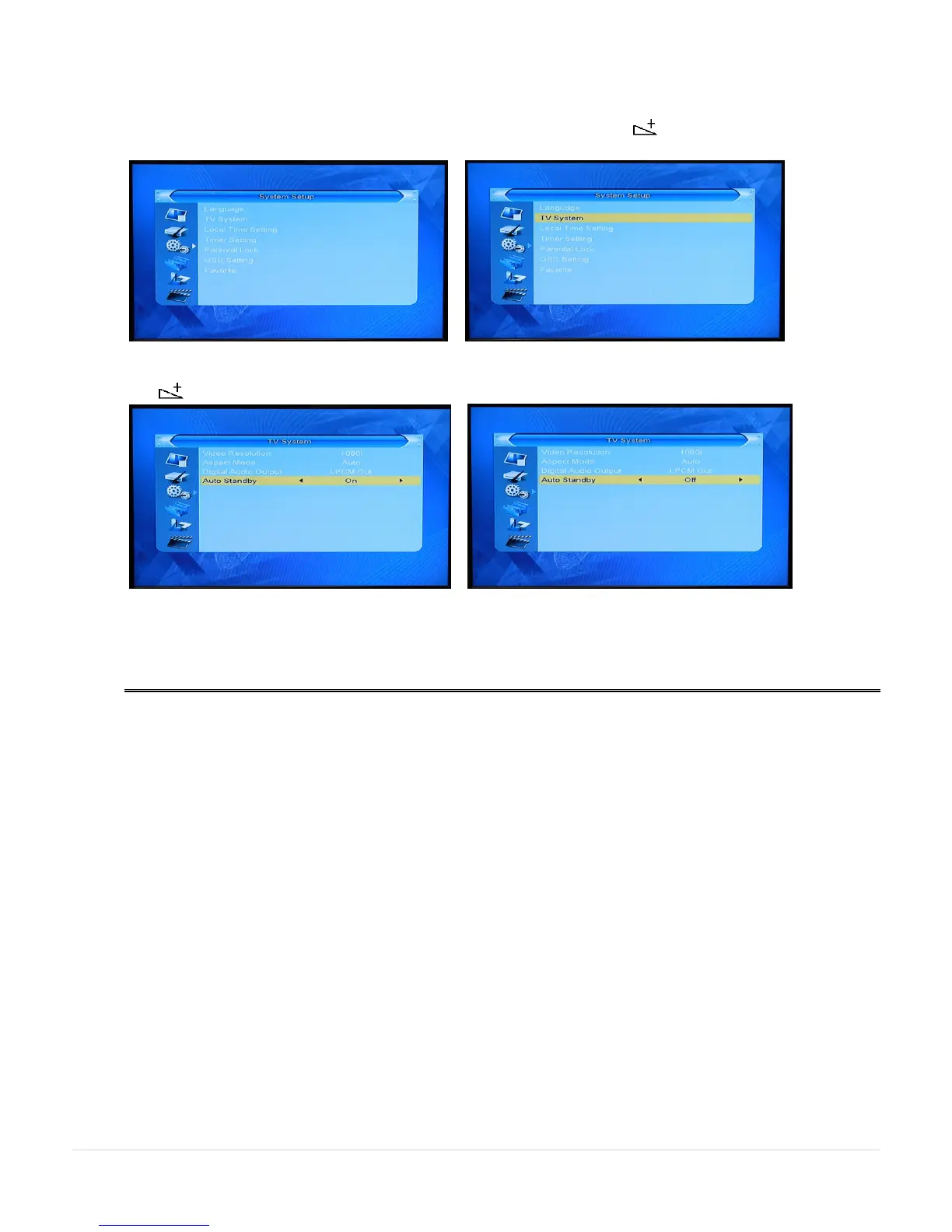
7. Auto Standby – (Manual Page 12) - a power saving function that puts the HVBTR-1200 into Standby mode
after 3 hours if there no activity from the controller. If your recording is going to be over 3 hours, set the Auto
Standby in the TV System menu to off.
Press MENU key and use the direction keys to the System Setup menu. The (right direction) key to the TV
System.
Press OK key to the TV System menu and use the direction keys to highlight and set the Auto Standby.
The (right direction) key will toggle between On and Off.
EXIT key will take you out of the menus.
Use the same procedure to reactivate the Auto Standby power saving function (On).



 To Previous Page