HVBTR1200‐004A
7|Page
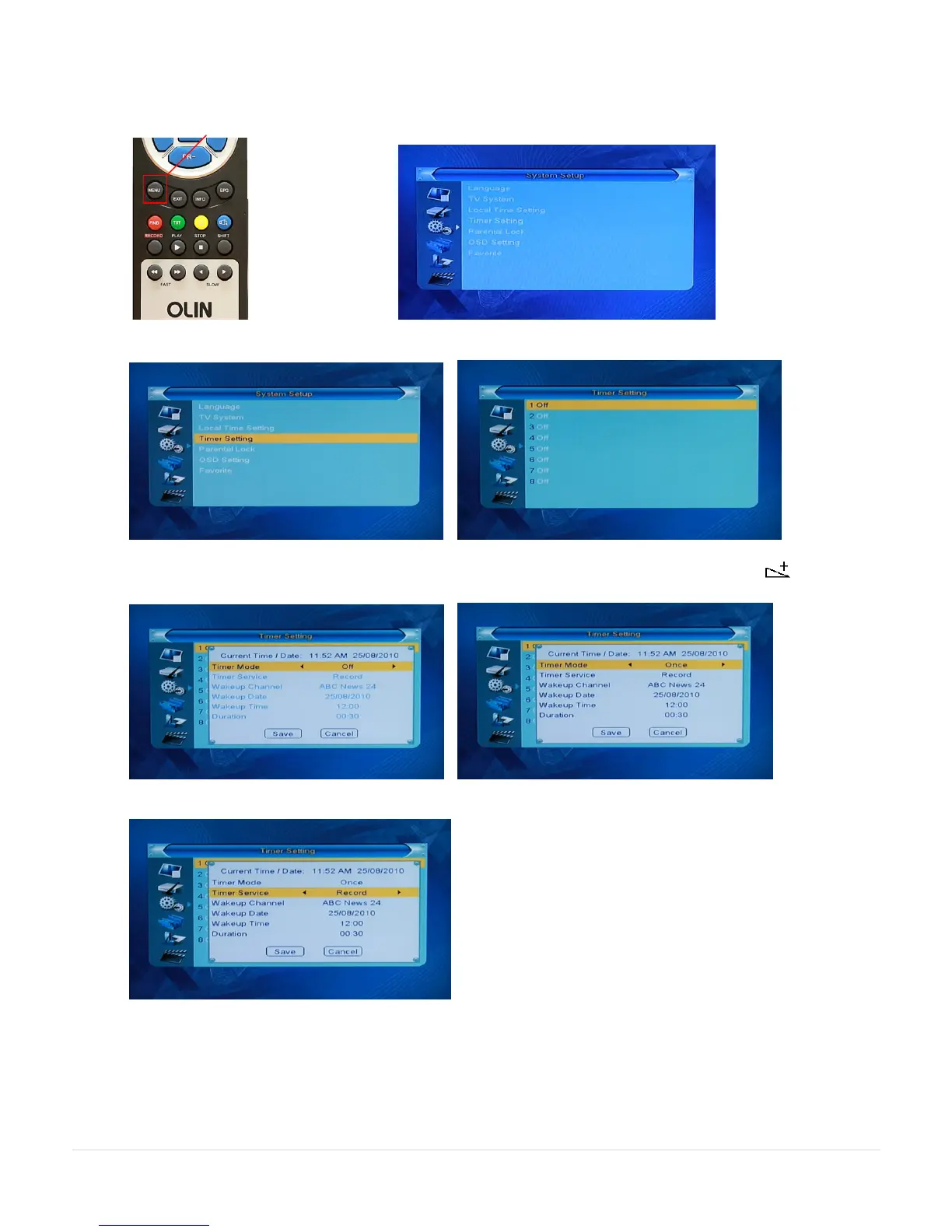
3. Record Timer - setting from the HVBTR-1200 menu system. (Manual Page 12)
Useful if you know what time your program is on and you want to set options outside of the EPG information.
Press the MENU key and use the directional keys to go to the System Setup menu.
Use the direction keys to Timer Setting and press OK to show the timer slots available:
Choose the next available recording slot and press OK to display the recording screen. Using the (right
direction) key to set Timer Mode to Once
PR- key down to Timer Service and set to Record



 To Next Page