HVBTR1200‐004A
13|Page
Other recording tips:
6.
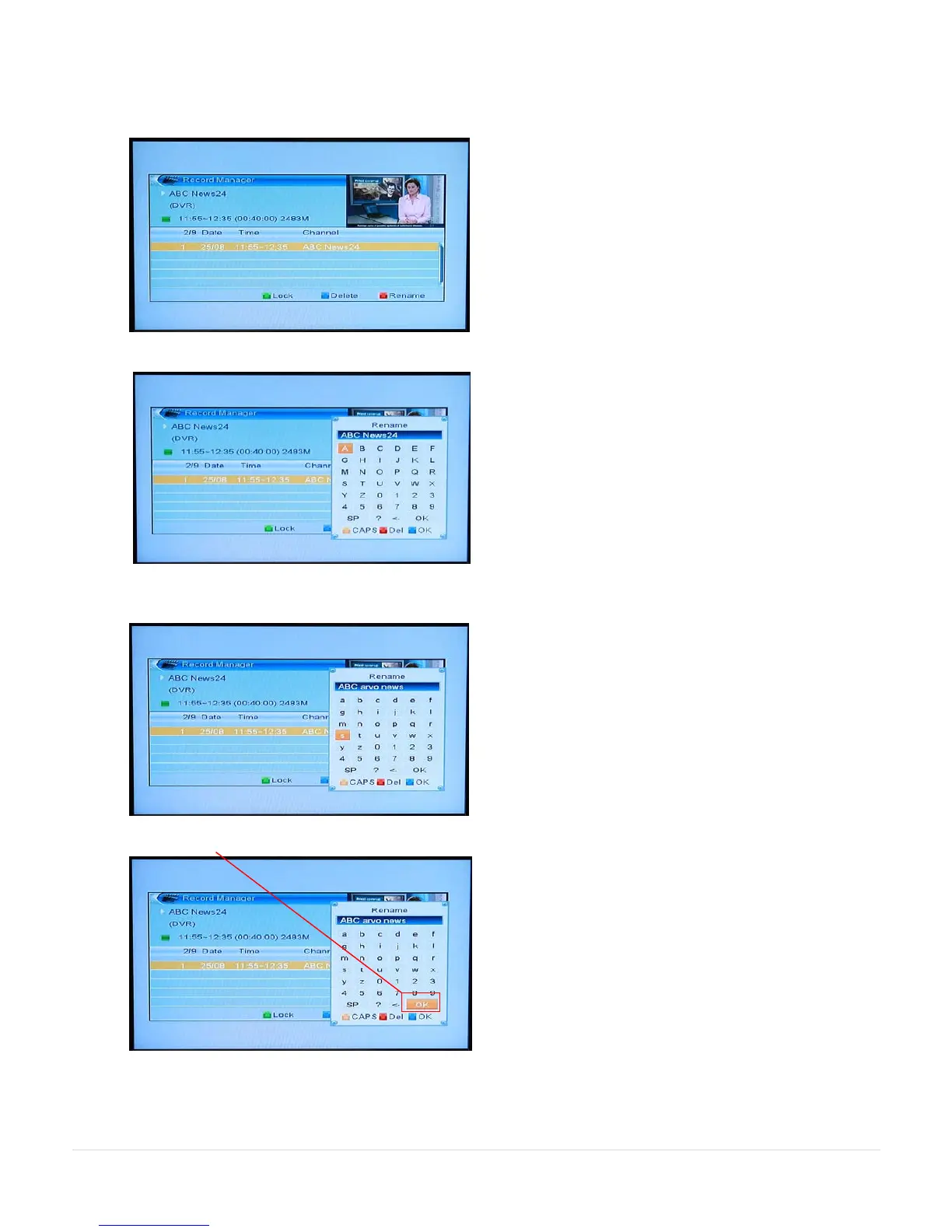
Renaming your recordings – (Manual Page 17)
FIND (red) key will display the Record Manager.
Press the FIND (red) key again to display the onscreen keypad.
Use the direction keys, the onscreen keypad and the OK key on the remote to rename the program.
Name can be up to 17 characters long.
Position to OK in the onscreen keypad and press the OK key on the remote.



 To Next Page