MAIN MENU
MAIN MENU
9
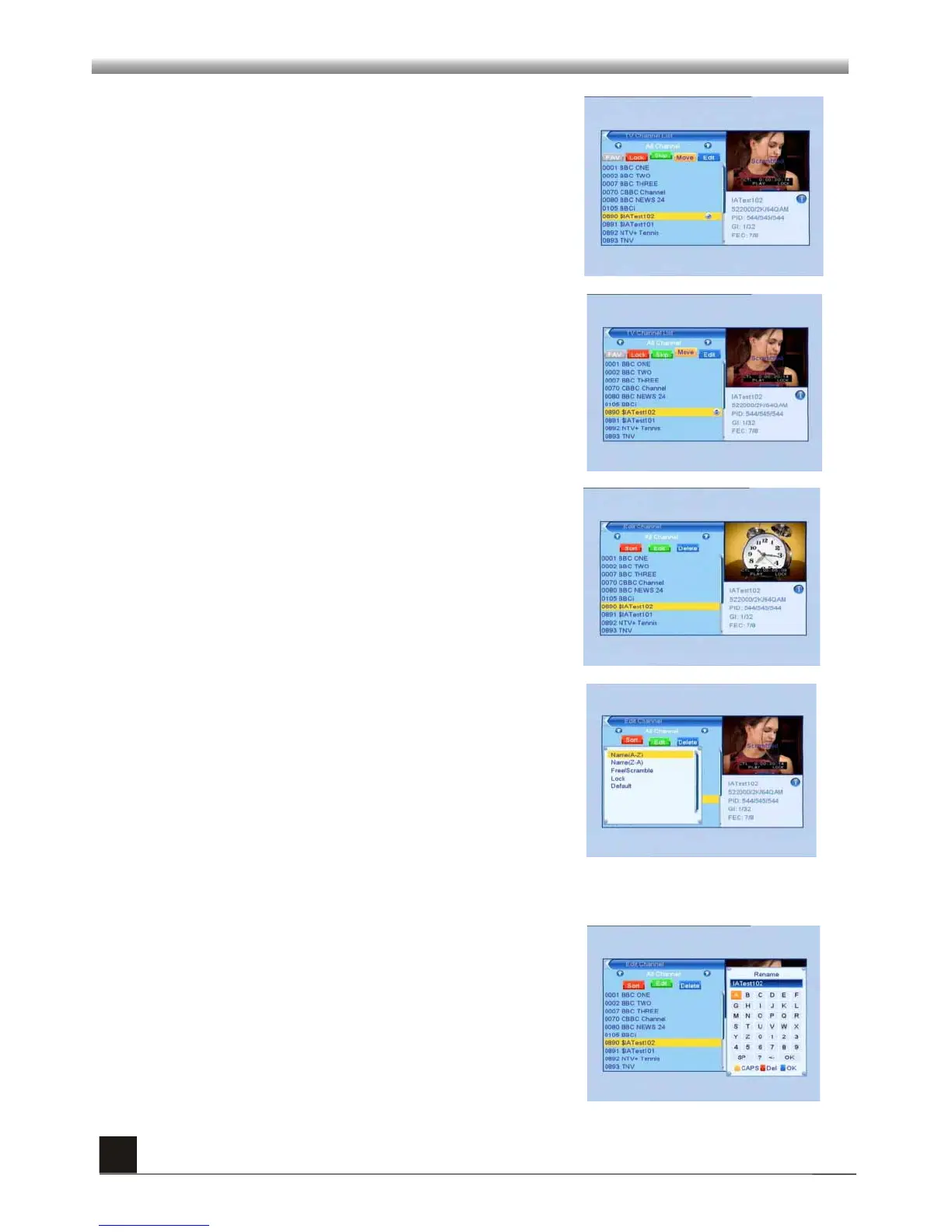
4. Press green colour key to move the Skip button
upward. Select the program and press OK key to mark
this program with the skip mark. You can cancel this
mark by pressing OK key once more.
Press green colour key again to exit from the skip
mode, and you will find the Skip button return to the
origin position.
5. Press yellow colour key to move the Move button
upward. Select the program and press OK key to mark
this program with the move mark. Press PR+, PR- keys
to move the cursor to the position where you want to
locate and press OK key to confirm.
Press yellow colour key again to exit from the yellow
mode, and you will find the yellow button return to the
origin position.
6. Press blue colour key to enter into the Edit
channel window.
Press red colour key to pop up the Sort drop-down list.
Name(A-Z): The ascending order, omitting the $
character, the number is ahead, then the capital letter,
at last the lowercase.
Name (Z-A): The opposite order of the above Name (A-
Z).
Free/Scrabmle:: All FTA programs are listed ahead,
while all scrambled programs are listed last.
Lock: all locked programs are listed at the bottom.
Default
i . Sort (red colour key)
ii. Edit (green colour key)
Press green colour key to move the Edit button upward.
Select the program and press OK key to pop up the
Rename window.
In Rename window, press yellow key to switch between
capital letter and lower-case letter; press red key to
delete last character, press direction keys to move the
cursor, press OK key to select and press blue key to
save and exit.



 To Next Page