8
MAIN MENU
MAIN MENU
This menu consists of 6 major sub-menus as
below.
- Edit Channel
- Installation
- System Setup
- Tools
- Game
- REC
1. Edit Channel
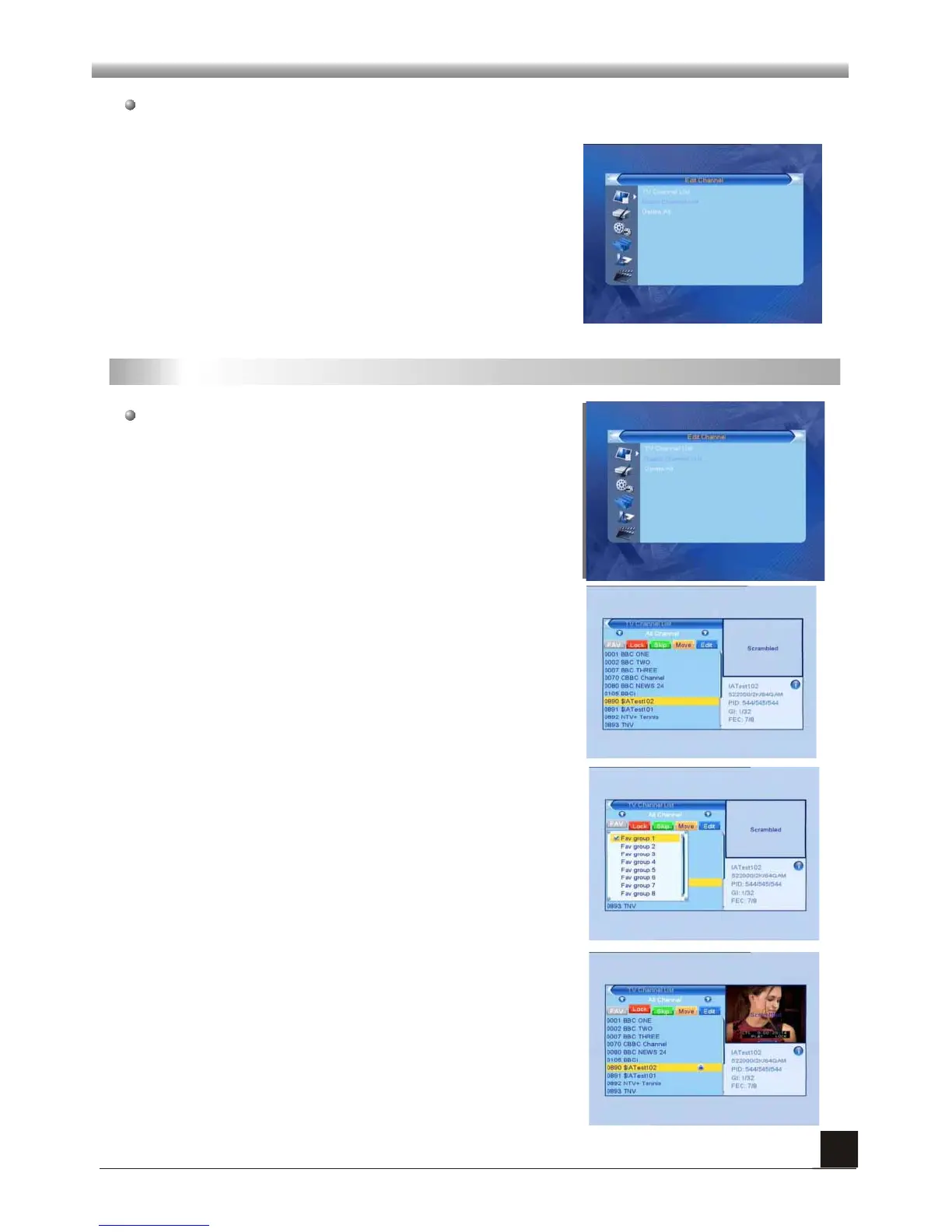
When you press [MENU] key, you can enter Main Menu.
Move highlight on Edit Channel item and press [OK]
key to enter Edit Channel menu as besides.
This menu has 3 sub-menus such as: TV Channel list,
Radio Channel List and Delete All .
1. Press PR+, PR- keys to select the program that you
want to play, and then press OK key to preview it in the
small window. If move the yellow cursor to select up or
down, you will see a gray line which indicates the
playing program in the small window.
1.1 TV Channel List
2. Press FAV key to move the FAV button upward.
Select the program and press OK key to pop up the
favourite group list. In the list, select the group that you
want to add into and press OK key, and then you will
find the favourite mark is displayed at the right side of
the selected program.
Press EXIT key to exit from the fav mode, and then
press FAV key you will find the FAV button return to the
origin position.
3. Press red colour key to move the Lock button
upward. Select the program and press OK key to mark
this program with the Lock mark. You can cancel this
mark by pressing OK key once more.
Press red colour key again to exit from the lock mode,
and you will find the Lock button return to the origin
position.



 To Next Page