LB51100 Installation and User Manual
Shenzhen Olipower Energy & Automation Technology., Ltd
IO port, interacts with a diesel engine, a photovoltaic device, or other external
device.
CAN bus interface communicate with the inverter.
DIP switch, set the LINK address and terminal resistance.
Battery positive (The two positives are the same, one of which can be used as a
parallel battery)
Battery negative (The two negative are the same, one of which can be used as a
parallel battery)
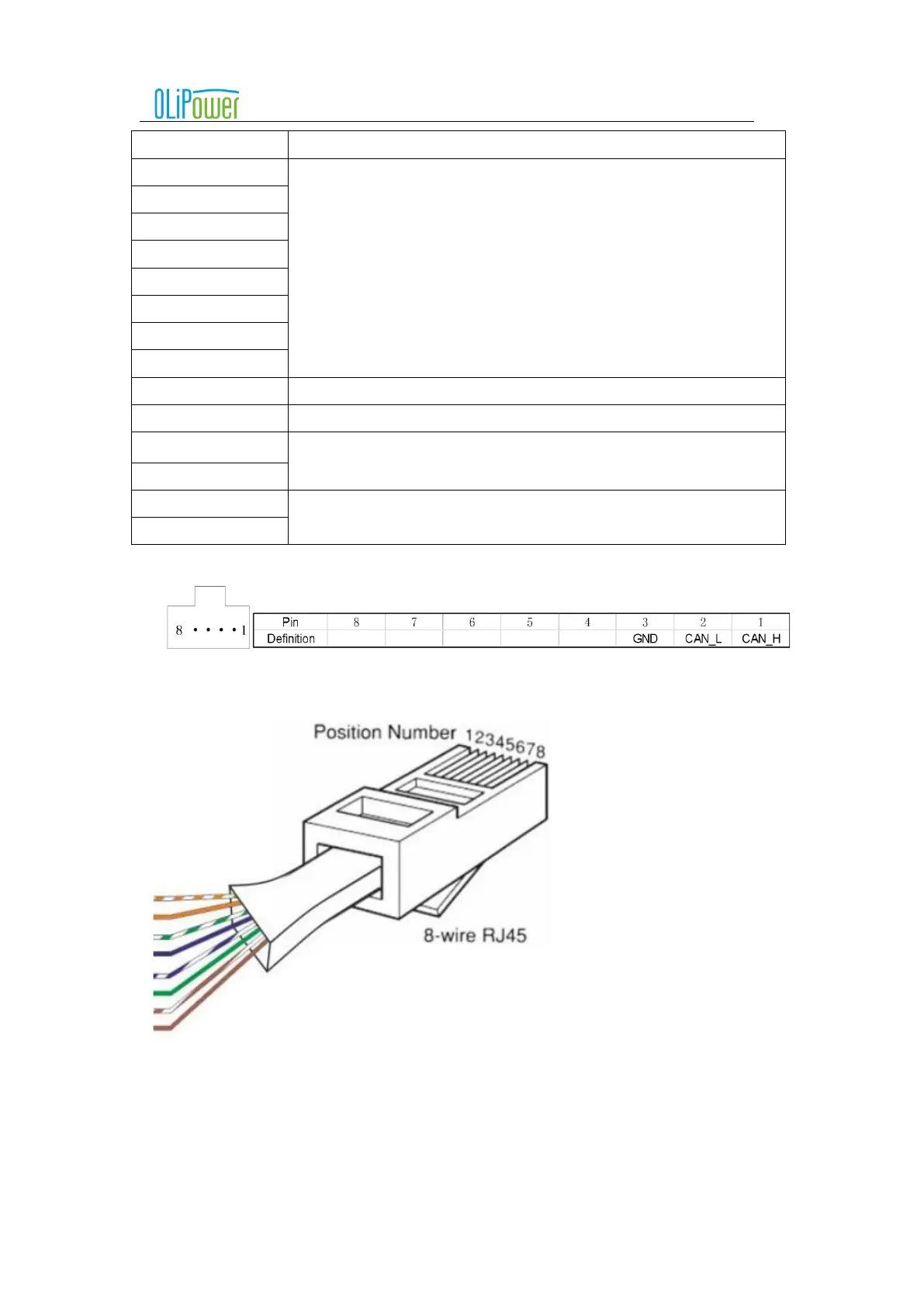
Attention:B interface RJ45 port corresponding to the CAN bus pin definition
RJ45 pin number reference schematic:
5.4.2
A single battery box is connected to the inverter
5.4.2.1 The steps of a single battery box connected with the inverter
Step 1: Check the battery box enclosure is not damage.
Step 2: When the battery is not connected to the inverter, start the battery box, then confirm that the battery
box running indicator light is bright, the battery box fault indicator light is not bright, and the battery box voltage



 To Next Page