sequence.
Emergency key requires setup –
see “Emergency key” section of
manual for more details.
24. USB cord port (phone)
26. Conductors for charging via
cradle (phone)
28. Conductors for charging via
cradle (cradle)
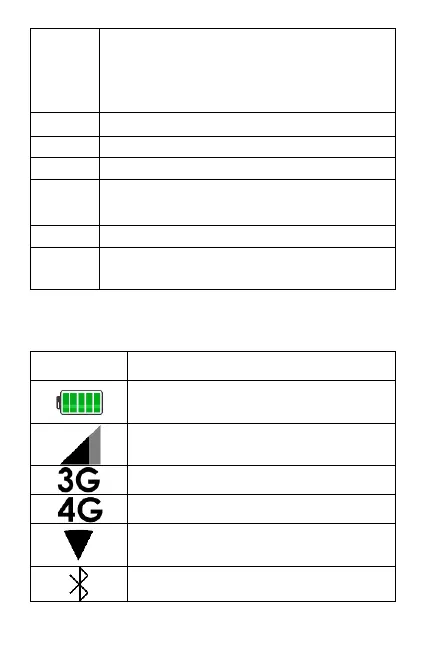
Display icon descriptions
Indicates charging status and
battery level
Indicates the mobile phone
reception/service strength
Phone is using the 3G network
Phone is using the 4G network
Phone is connected to a Wifi
network.
Bluetooth function is active



 To Next Page