EasyManua.ls Logo

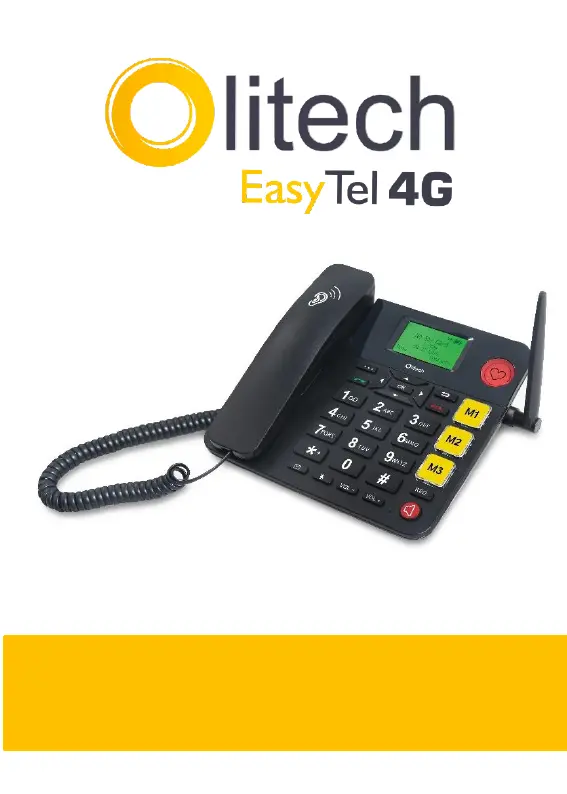
Olitech EasyTel 4G - User Manual

Olitech EasyTel 4G
45 pages
Print Icon
To Next Page IconTo Next Page
Loading...
1
User Manual V1
Model number: OLT2917V2

Questions and Answers

Summary

Hardware Guide

Key Instruction

Details the function of specific keys on the device, including navigation and function keys.

Interface Icons

Menu Map Overview

Provides a visual guide to icons and lists the main menu sections for navigation.

Contacts

Contact Management

Explains how to open the contacts list, search, and manage contacts (call, details, write message).

Messages

Message Operations

Covers writing, sending, and managing messages across different folders like Inbox and Outbox.

Call Logs

Call Log Management

Details how to view missed, dialled, received, and rejected calls, and manage call timers.

Call Settings

Call Configuration Options

Explains settings for voicemail, call divert, call waiting, and call barring.

Phone Settings

Phone Configuration Options

Covers setting date/time, language, and post dialling delay for the phone.

Other Settings

General Device Settings

Includes display settings, security options like PIN and phone lock.

Audio Settings

Audio Customization

Allows adjustment of ringtones, message tones, and volume levels for various alerts.

FM Radio

Radio Operation

Explains how to search, play, pause, and stop channels on the FM radio.

Hotspot

Hotspot Setup

Details how to turn on the mobile hotspot and connect other devices to the internet.

Organiser

Organiser Functions

Covers setting alarms, using the calendar, calculator, and timer features.

Emergency Key

Emergency Key Setup

Guides on activating the emergency key, setting numbers, and sending text messages.

Hardware Setup

Phone Setup

Instructions for connecting the handset and installing the battery and SIM card.

Powering On;Off

Time and Date

Explains how to power the phone on/off and how the time and date are updated.

Calls

Answering and Dialing

Explains how to answer incoming calls and various methods for making standard calls.

Speed Dial

Speed Dial Programming

Details how to program speed dial keys (2-9) and dedicated keys (M1, M2, M3).

Text Input

Text Input Methods

Explains different input methods like digits, letters, predictive text, and language selection.

Bluetooth

Connecting Devices

Covers activating Bluetooth, pairing devices, and troubleshooting connection issues.

Hotspot

Hotspot Operation

Details how to turn on the mobile hotspot and connect other devices to the internet.

Alarm

Alarm Settings

Covers setting alarms, including name, time, and tone.

Security Settings

Phone Security Features

Covers PIN setup, phone locking, auto keypad lock, and blacklist functionality.

Limited Warranty

Warning and Maintenance

Provides important warnings about device usage, interference, and general maintenance.

Troubleshooting

Troubleshooting Guide

Offers solutions for common issues like password prompts, no ringtone, and screen display problems.

Contact

Contact Information

Provides email, phone number, and address for customer support inquiries.

Olitech EasyTel 4G Specifications

General IconGeneral
CameraNo
Talk TimeUp to 5 hours
Display2.4 inch
Connectivity4G, Bluetooth
SIM CardNano SIM

Related product manuals