TYPE ON FEET
&
MOTION ADJUSTMENTS
[Y113
I
- Segment in upper case
- Ribbon se1ector in b1ack
- Insert a piece of paper in
the machi ne
Type a11 upper case characters
and check that
t
he type. is on
feet (uni form density
t
op to
batiam)
yes The majority of
pri
nt
s on feet
no
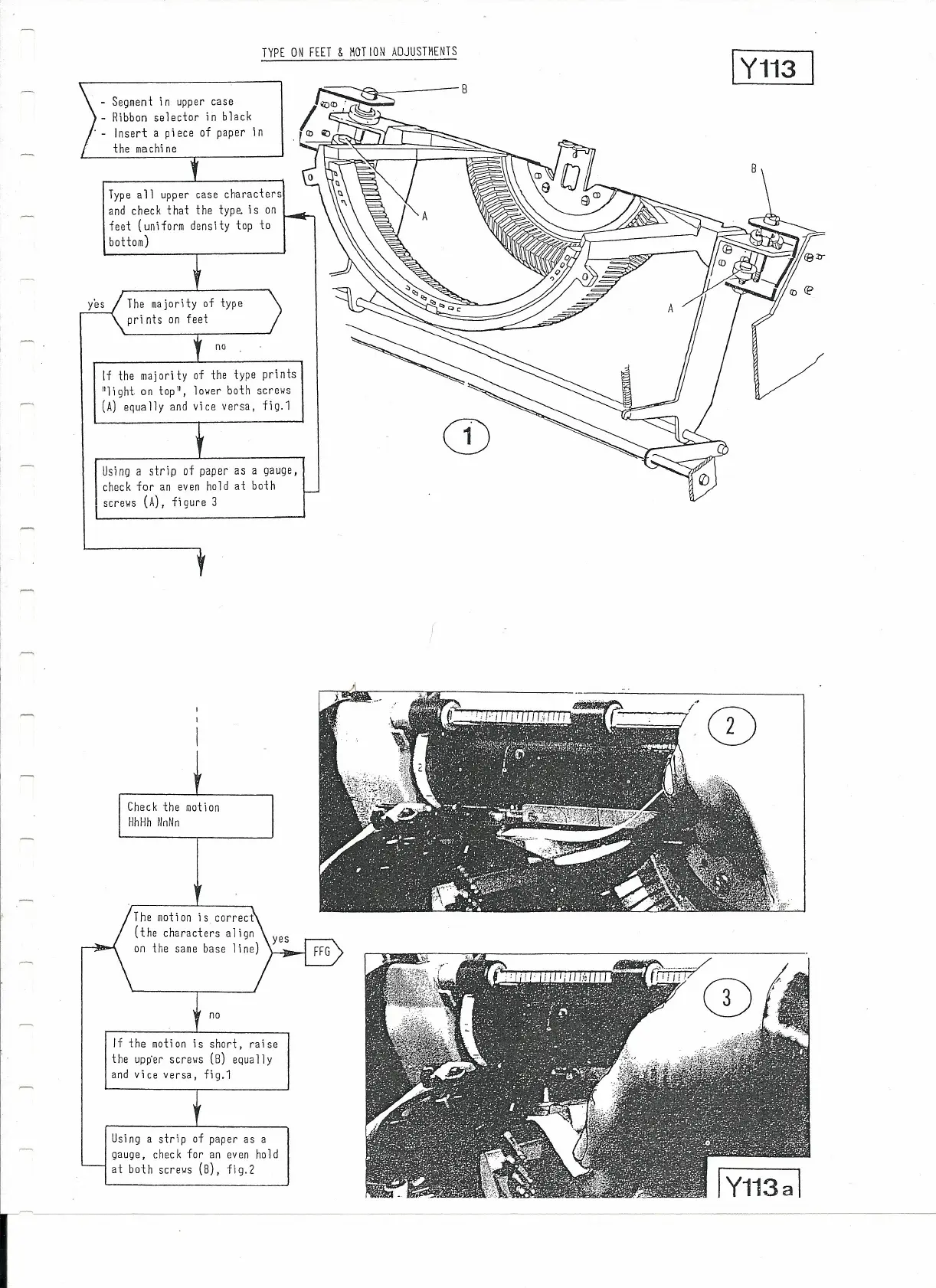
If the majority of the type prints
"1i
çht
on
t
op",
l
over both screws
(A)
equa lly and vi ce versa, fi g.1
Using a strip
of
paper
as a
gauge,
check for an even
ho
ld
at
both
screws
(A),
figure
3
The motion is correct
(the characters a1ign
on the same base 1ine)
no
If the motion is short, raise
the upp'er screws (8) equally
and vice versa, fig.1
Using a strip of paper as a
gauge, check for an even ho ld
at both screws (8), fig.2
CD
CD



 To Next Page