This document outlines the features, operation, and maintenance of an OLMO Split Air Conditioner with Heat Pump. It serves as a user's manual, providing essential information for safe and optimal use.
Function Description
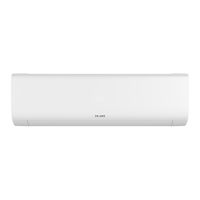
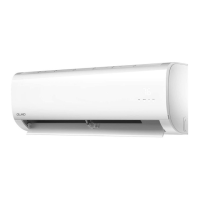
The OLMO Split Air Conditioner is designed to provide cooling, heating, and dehumidification (DRY mode) for indoor spaces. As a split system, it consists of an indoor unit and an outdoor unit. The heat pump functionality allows for efficient heating during colder periods. The unit is equipped with various operational modes and features to enhance user comfort and energy efficiency.
Usage Features
The air conditioner offers several features to optimize its performance and user experience:
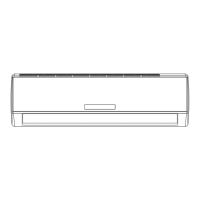
- Display Windows (A and B): These windows on the indoor unit provide visual feedback on the unit's status. They display current temperature settings, operational modes, and error codes.
- Indicator Lights:
- "fresh": Illuminates when the fresh air feature is active (on some units).
- "defrost": Illuminates when the defrost feature is active.
- "run": Indicates the unit is currently operating.
- "timer": Indicates that a timer has been set.
- Display Code Meanings:
- "88": Not available on all units. When the ECO function is activated, "88" illuminates gradually. In other modes, it displays the temperature setting or room temperature (in fan mode). Error codes are also displayed here.
- "07": Displays for 3 seconds when TIMER ON, FRESH, SWING, TURBO, or SILENCE features are activated.
- "0F": Displays for 3 seconds when TIMER OFF, FRESH, SWING, TURBO, or SILENCE features are deactivated.
- "CF": Indicates the anti-cold air feature is active.
- "AF": Indicates the unit is defrosting.
- "S": Indicates the unit is self-cleaning.
- "FF": Indicates freeze protection is active.
- Optimal Performance Ranges: The manual provides specific temperature ranges for COOL, HEAT, and DRY modes to ensure optimal performance. Operating outside these ranges may activate safety protection features, reducing efficiency. For outdoor units with auxiliary electric heaters, it is recommended to keep the unit plugged in when the outside temperature is below 32°F (0°C) for smooth operation.
- Auto-Restart: In the event of a power loss, the unit will automatically restart with its previous settings once power is restored.
- Anti-Mildew (some units): When the unit is turned off from COOL, AUTO (COOL), or DRY modes, it continues to operate at a very low power to dry condensed water, preventing mildew growth.
- Wi-Fi Control (some units): This feature allows users to control the air conditioner remotely using a mobile phone and a Wi-Fi connection.
- Louver Angle Memory (some units): The louver automatically resumes its last set angle when the unit is turned on.
- Refrigerant Leakage Detection (some units): The indoor unit will display "EC" and the "run" indicator light will flash 7 times (while the "timer" light turns off) if a refrigerant leak is detected.
- Setting Vertical Airflow Angle: The vertical louver direction can be adjusted using the SWING/DIRECT button on the remote control. Each press adjusts the louver by 6°. Holding the button activates continuous up-and-down swinging.
- Setting Horizontal Airflow Angle: The horizontal airflow angle is typically set manually by gripping and adjusting the deflector rod. Some units may allow remote control adjustment.
- Sleep Operation: This function, activated via remote control, reduces energy consumption during sleep. In COOL mode, the temperature increases by 2°F (1°C) after 1 hour, and another 2°F (1°C) after a second hour. In HEAT mode, the temperature decreases by 2°F (1°C) after 1 hour, and another 2°F (1°C) after a second hour. The new temperature is maintained for 5 hours, after which the unit automatically turns off. This function is not available in FAN or DRY mode.
- Manual Operation (Without Remote): In case the remote control is not working, the unit can be operated manually using the MANUAL CONTROL button on the indoor unit. This allows for FORCED AUTO mode, FORCED COOLING mode, and turning the unit off. This is intended for emergency use only.
Maintenance Features
Regular maintenance is crucial for the longevity and efficient operation of the air conditioner.
- General Cleaning:
- The indoor unit should be wiped clean with a soft, dry cloth. For stubborn dirt, a cloth soaked in warm water can be used.
- Avoid using chemicals, chemically treated cloths, benzene, paint thinner, polishing powder, or other solvents, as these can damage the plastic surfaces.
- Do not use water hotter than 40°C (104°F) on the front panel to prevent deformation or discoloration.
- Air Filter Cleaning:
- Air filters should be cleaned every two weeks to maintain cooling efficiency and air quality.
- To clean, lift the front panel, locate the filter under the top air inlet grill, grip the tab, and pull it out.
- If present, unclip the small air freshening filter and clean it with a handheld vacuum.
- Clean the large air filter with warm, soapy water and a mild detergent.
- Rinse with fresh water, shake off excess, and dry in a cool, dry place away from direct sunlight.
- Once dry, re-clip the air freshening filter (if applicable) and slide the filter back into the indoor unit, then close the front panel.
- Caution: Do not touch the air freshening (Plasma) filter for at least 10 minutes after turning off the unit.
- Air Filter Reminders (Optional):
- Cleaning Reminder: After 240 hours of use, the "run" and "timer" indicator lamps will flash, and "CL" (if applicable) will flash on the display window, reminding the user to clean the filter. This resets by pressing the LED button on the remote 4 times or the MANUAL CONTROL button 3 times.
- Replacement Reminder: After 2,880 hours of use, the "run" and "timer" indicator lamps will flash 10 times, then remain on for 5 seconds, and "nF" (if applicable) will flash on the display window, reminding the user to replace the filter. This resets similarly to the cleaning reminder.
- Maintenance for Long Periods of Non-Use:
- Clean all filters.
- Turn on the FAN function until the unit is completely dry.
- Turn off the unit and disconnect the power supply.
- Remove batteries from the remote control.
- Pre-Season Inspection: Before frequent use or after long periods of non-use:
- Check for damaged wires.
- Clean all filters.
- Check for leaks.
- Replace remote control batteries.
- Ensure nothing is blocking air inlets or outlets.
- Professional Maintenance: Any maintenance or cleaning of the outdoor unit, as well as any unit repairs, should be performed by an authorized dealer or licensed service provider.


 To Next Page
 General