26
Smoke Alarm Device
Function Test
Complete a function test of
the smoke alarm device at
regular intervals - at least
once a year�
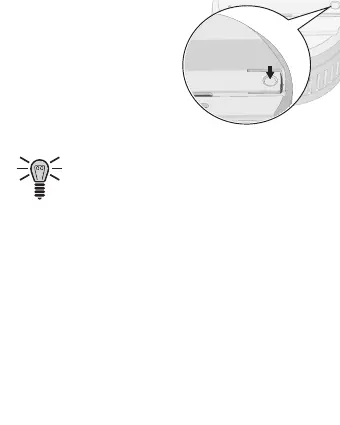
1 Press and hold the Test/
Silent button. The LED ashes quickly and you will
hear a continuous acoustic signal�
Please note that after you have pressed the
Test/Silent button, Silent mode is activated for
9 minutes� The acoustic alarm signal is switched
off for this period�
Activating Silent Mode
You can activate Silent mode when you want to switch off
the alarm signals for a time� Silent mode is automatically
deactivated after 9 minutes�
1 Press and hold the Test/Silent button. The LED ashes
regularly and you will hear a continuous acoustic signal�
2 If you want to deactivate Silent mode manually, press
the Test/Silent button� You will hear a short acoustic
signal and the LED ashes approximately every 6 min-
utes� Silent mode is deactivated�



 To Next Page