19
EN
Changing the image
information display
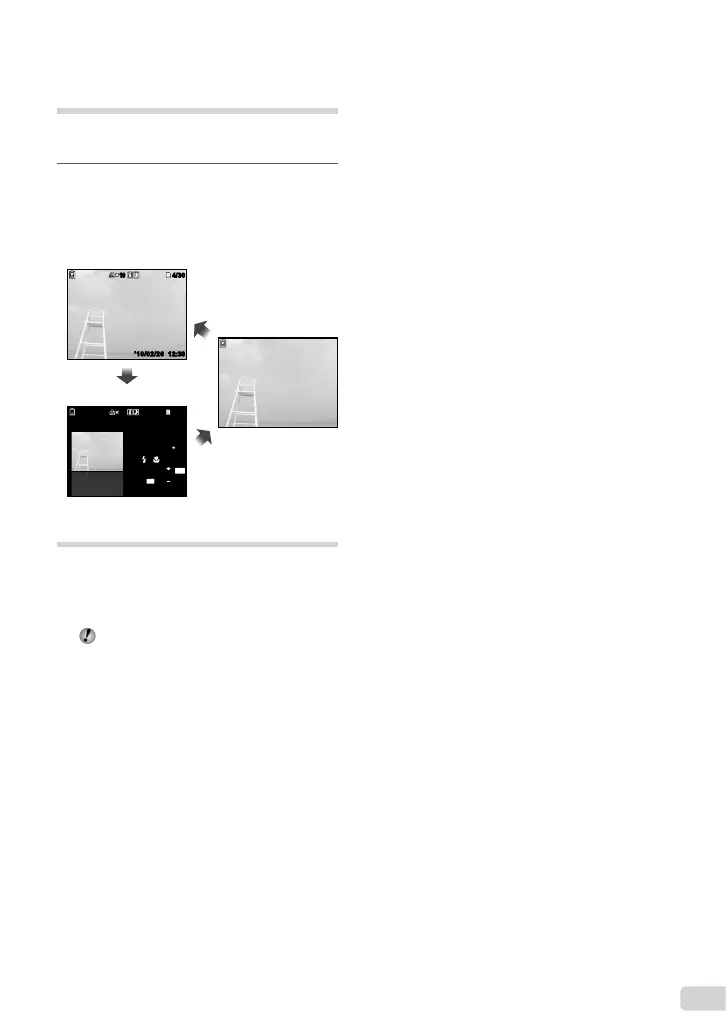
Shooting information settings displayed on the
screen can be changed.
1
Press F (INFO).
The displayed image information changes in
the order shown below each time the button is
pressed.
1010
’10/02/26 12:30’10/02/26 12:30
4/30
4/30
1010
4/304/30
1/1000 F3.1 2.0
AUTO
WB
AUTO
ISO
P
N
ORM
12
M
FILE
100 0004
’10/02/26 12:30
Normal
Detailed
No information
Using the menu guide
If the E button is pressed while settings are
being made in the playback function or [SETUP]
menu, a description of the selected option is
displayed.
“Using the Menu” (p. 4)
●


 To Next Page