17
How to uninstall the device driver (Cont.) <98/98 SE/Me>
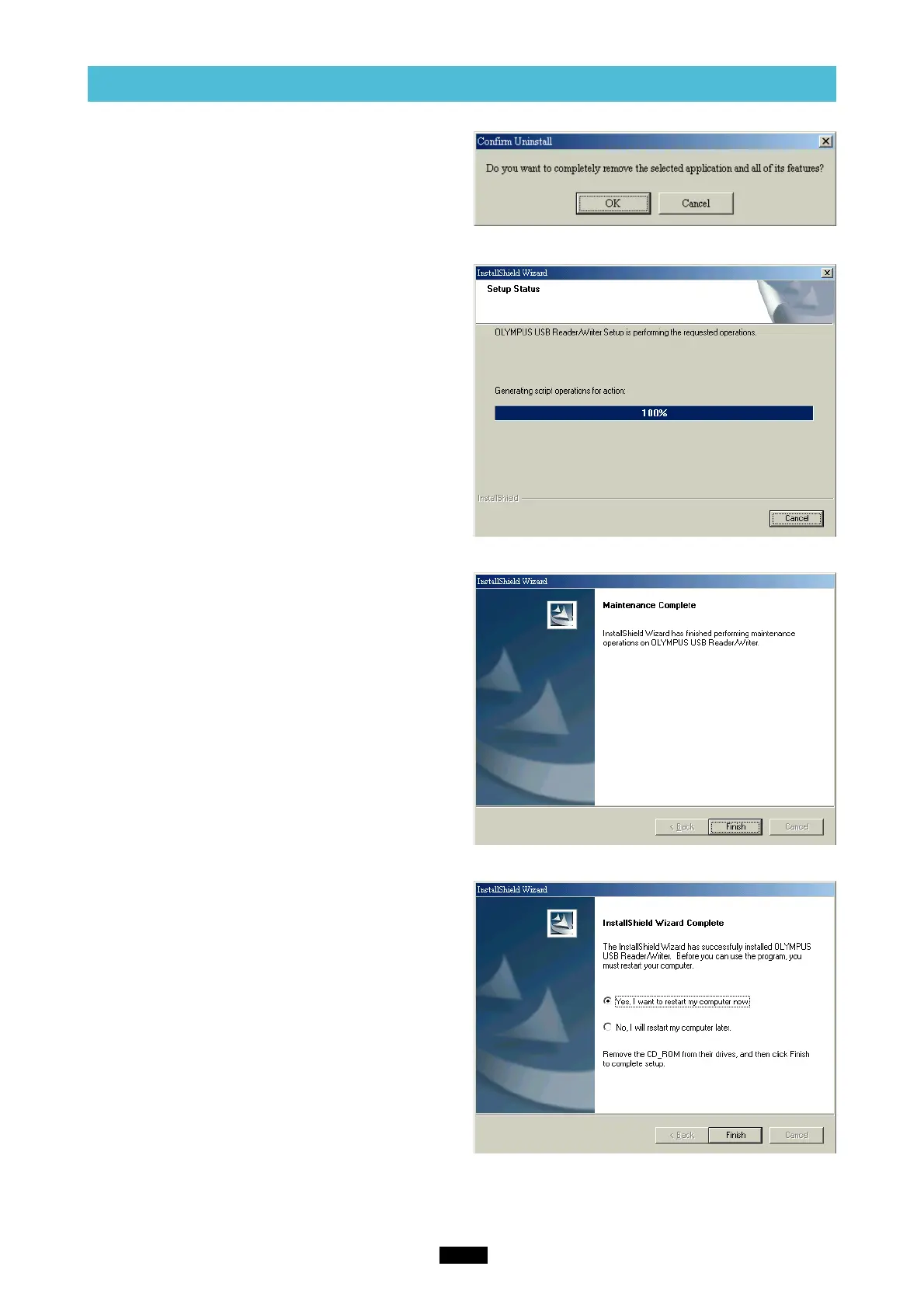
4. A confirmation window appears. Click “OK”.
5. The “InstallShield Wizard” window appears.
6. The window at right appears. Click the “Finish”
button.
7. The window at right appears. Select “Yes, I
want to restart my computer now.” if you are
ready, then click “Finish”.
* The computer restarts.
The device driver is no longer installed.



 To Next Page