7
Getting started
En
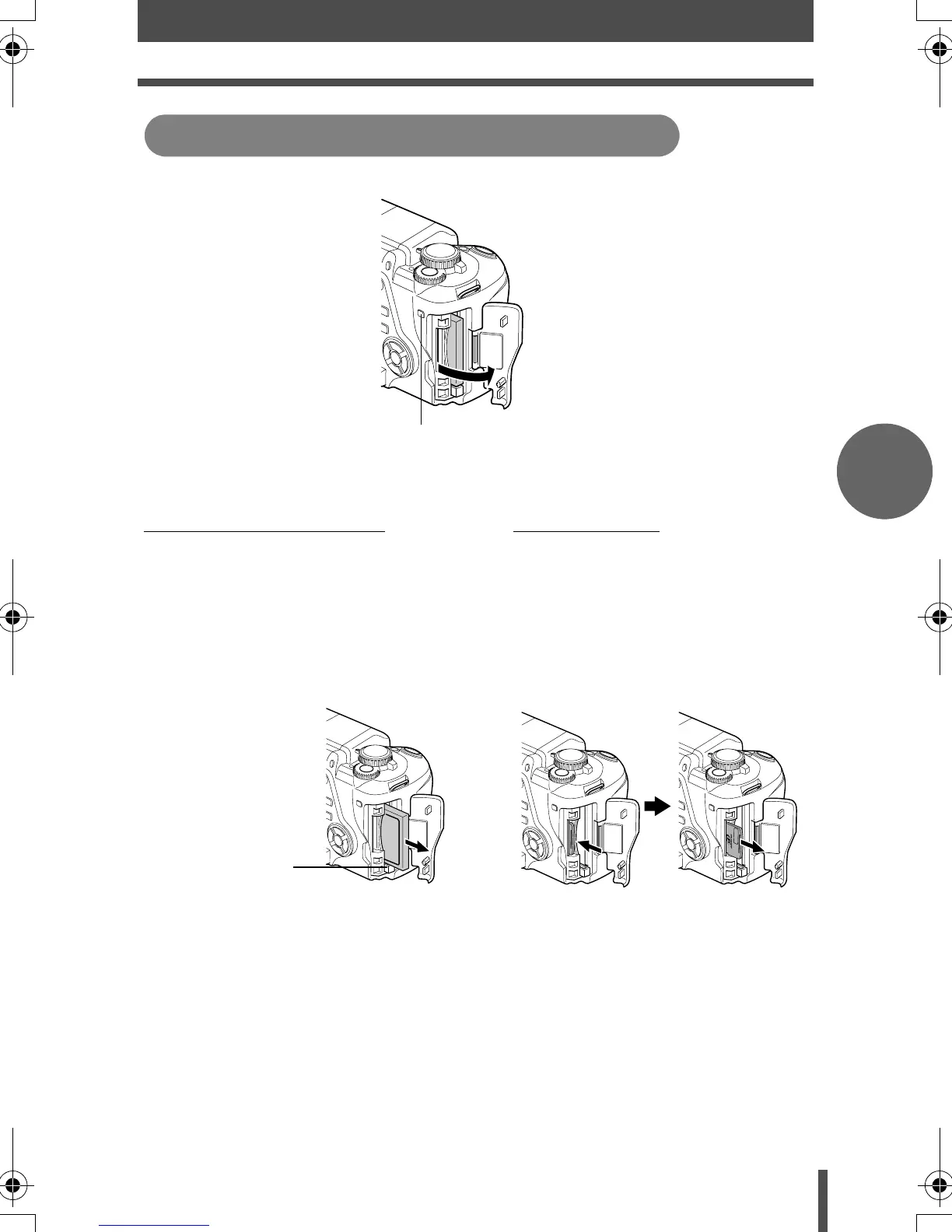
Remove the card after the card access lamp light goes off.
Compact Flash/Microdrive
xD-Picture Card
• Press the eject button all the way in and
let it pop out, then press it all the way in
again.
• The card will be ejected.
• If you press the eject button too hard, the
card may jump out of the camera.
• Pull out the card.
• Press the inserted card lightly
and it will be ejected.
• Pull out the card.
Removing the card
Card access lamp
Eject button
s003_En-Fr-Es-De.book Page 7 Tuesday, December 27, 2005 4:34 PM








 To Next Page