Selecting a scene mode according to Restoring the shooting functions to the
the shooting situation [_ SCENE] default settings [._ RESET]
........._= SCENE..........................................................................................................................................................................................................................................................................................................
_/_ _: SCENE _/It_ _::_: _ P SCENE _ ((_))
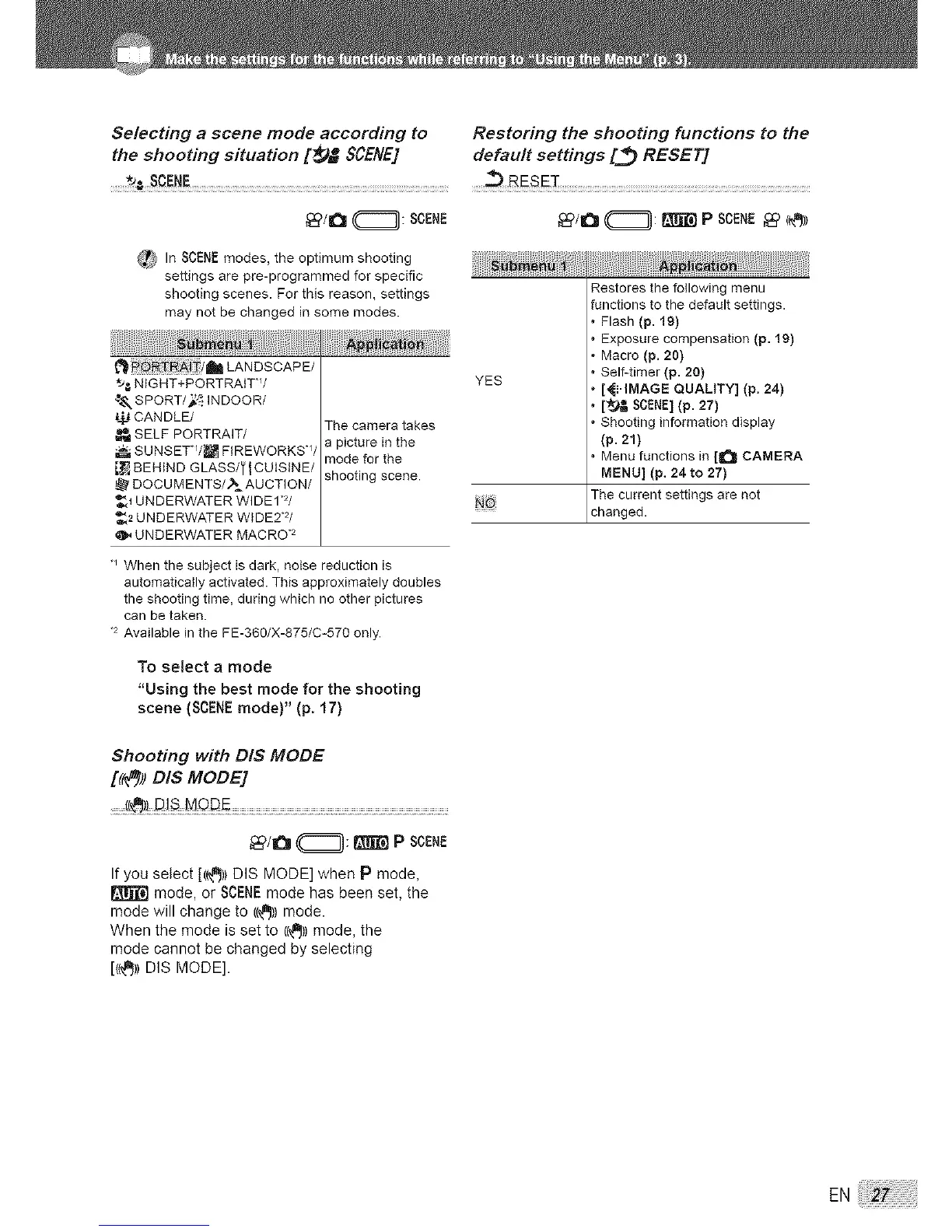
_ In SCENE modes, the optimum shooting
settings are pre-programmed for specific
shooting scenes. For this reason, settings
may not be changed in some modes.
i LANDSCAPE/
*_,_ NIGHT+PORTRAtTW
_ SPORT/_ INDOOR/
CANDLE/
SELF PORTRAIT/
SUNSET*/_ FIREWORKSW
BEHIND GLASS/_ l CUISINE/
DOCUMENTS/_=AUCTION/
_1 UNDERWATER WIDE1 2/
_2 UNDERWATER WIDE2*2/
UNDERWATER MACRO .2
The camera takes
a picture in the
mode for the
shooting scene.
YES
_6
Restores the following menu
functions to the default settings.
• Flash (p. 19)
• Exposure compensation (p. 19)
• Macro (p. 20)
• Self-timer (p. 20)
• [_I.IMAGE QUALITY] (p. 24)
• [_ SCENE](p. 27)
• Shooting information display
(p. 21)
• Menu functions in [a_l CAMERA
MENU] (p. 24 to 27)
The current settings are not
changed.
When the subject is dark, noise reduction is
automatically activated. This approximately doubles
the shooting time, during which no other pictures
can be taken.
2 Available in the FE-360/X-875/C-570 only.
To select a mode
"Using the best mode for the shooting
scene (SCENE mode)" (p. 17)
Shooting with DIS MODE
[((t_)) DIS MODE]
_/_ _: _ P SCENE
If you select [((_)) DIS MODE] when P mode,
mode, or SCENEmode has been set, the
mode will change to ((_J))mode.
When the mode is set to ((_))mode, the
mode cannot be changed by selecting
[((_)) DIS MODE].
EN




 To Next Page