EasyManua.ls Logo

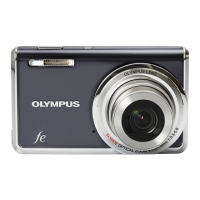
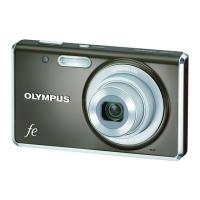
Olympus FE-5020 - User Manual

Olympus FE-5020
63 pages
Print Icon
To Next Page IconTo Next Page
Loading...
DIGITAL CAMERA
FE-5020/X-935
FE-4010/X-930
Thank you for purchasing an Olympus digital camera. Before you start to
use your new camera, please read these instructions carefully to enjoy
optimum performance and a longer service life. Keep this manual in a
safe place for future reference.
We recommend that you take test shots to get accustomed to your
camera before taking important photographs.
In the interest of continually improving our products, Olympus reserves
the right to update or modify information contained in this manual.
The screen and camera illustrations shown in this manual were produced
during the development stages and may differ from the actual product.
Unless otherwise speci ed, the explanation about these illustrations is
provided for FE-5020/X-935.
Instruction Manual

Other manuals for Olympus FE-5020

Question and Answer IconNeed help?

Do you have a question about the Olympus FE-5020 and is the answer not in the manual?

Summary

Three Types of Setting Operations

Using the Menu

Explains how to navigate camera menus to adjust settings like power save.

Using the Direct Buttons

Details accessing frequently used shooting functions via dedicated camera buttons.

Using the FUNC Menu

Describes quick access to shooting functions using the FUNC menu for easier settings.

Preparing the Camera

Attaching the camera strap

Instructions on how to securely attach the camera strap to the eyelet.

Charging the battery

Step-by-step guide on how to charge the camera's lithium-ion battery using the provided charger.

Loading the battery and xD-Picture Card into the camera

Viewing images

Using Shooting Modes

Using the best mode for the shooting scene (SCN mode)

Guide to selecting scene modes (SCN) for optimal shooting settings based on the environment.

Using Shooting Functions

Using Playback Features

Menus for Shooting Functions

Adjusting to a natural color scheme [WB]

Selecting the ISO sensitivity [ISO]

Shooting at higher magnifications than optical zoom without reducing the image quality [FINE ZOOM]

Reducing blur due to camera shake during movie shooting [DIS MOVIE MODE]

Erasing images [ ERASE]

SEL. IMAGE

Procedure for individually selecting and erasing specific images from memory.

ALL ERASE

How to erase all images stored in the internal memory or on the card.

Saving print settings to the image data [PRINT ORDER]

Menus for Other Camera Settings

Direct printing (PictBridge*1)

Printing images at the printers standard settings [EASY PRINT]

Olympus FE-5020 Specifications

General IconGeneral
BrandOlympus
ModelFE-5020
CategoryDigital Camera
LanguageEnglish

Related product manuals