18
EN
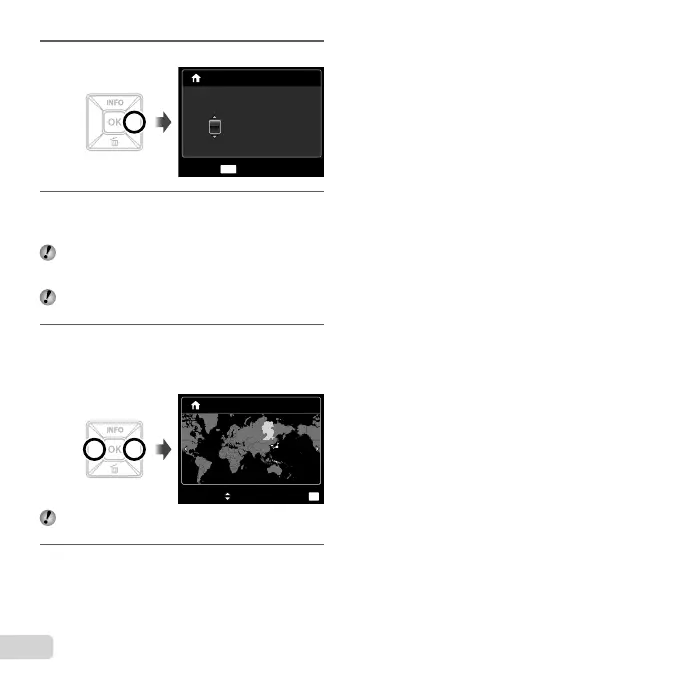
3
Press I to save the setting for [Y].
:..2010
X
Y/M/D
MENU
Y M D TIME
CANCEL
-- -- ------
4
As in Steps 2 and 3, use FGHI and the
H button to set [M] (month), [D] (day), [TIME]
(hours and minutes), and [Y/M/D] (date order).
For a more accurate setting, press the H button
when the time signal hits 00 seconds while setting the
minutes.
To change the date and time, adjust the setting from
the menu. [X] (Date/time) (p. 44)
5
Use HI to select your home time zone and
press the H button.
Use FG to turn daylight saving time ([SUMMER])
on or off.
’10.10.26.12:30
SUMMER
OK
SET
Seoul
Tokyo
Seoul
Tokyo
The menus can be used to change the selected time
zone. [WORLD TIME] (p. 45)
6
Use FGHI to select your language and
press the H button.
●





 To Next Page