FOCUS PX — Getting Started Guide 3
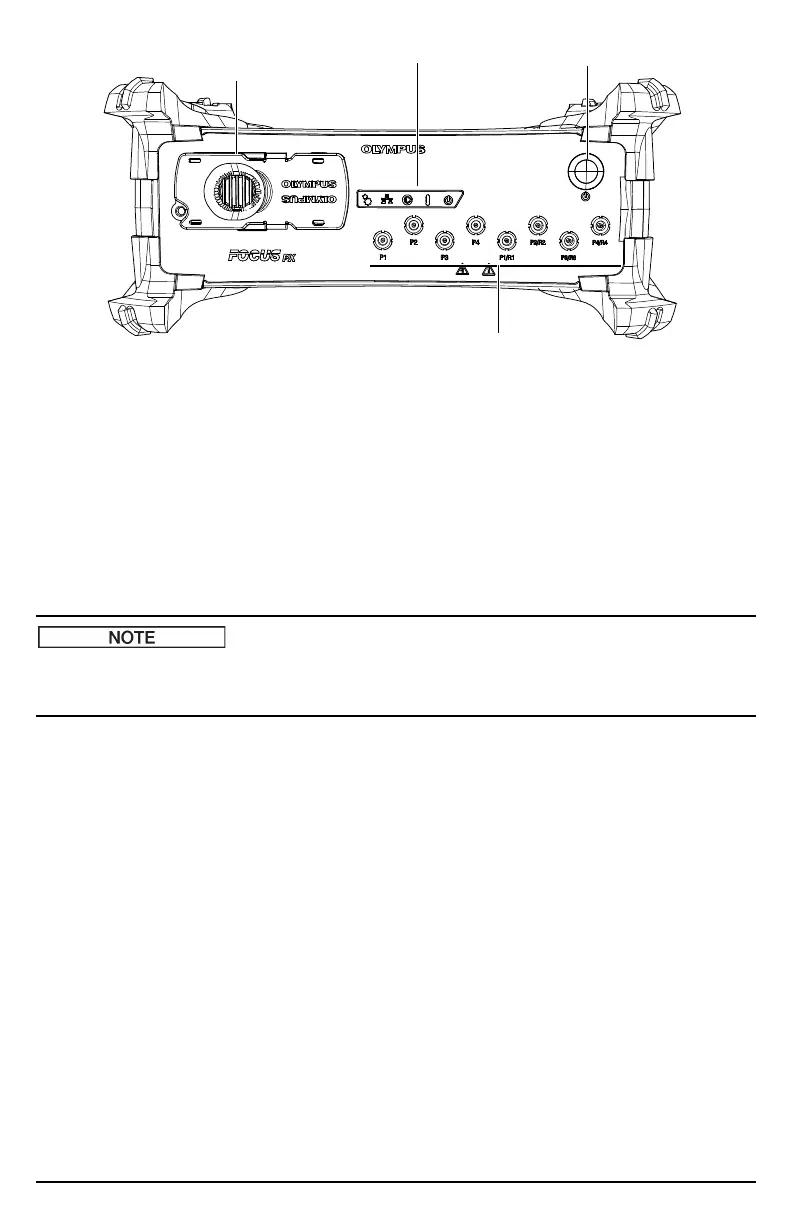
Figure 1 The FOCUS PX front panel
Figure 2 on page 4 shows the FOCUS PX rear panel, which enables you to do the following:
• Connect a scanner
• Connect input and output signals (encoders, alarms, etc.)
• Connect the FOCUS PX to an Ethernet network
• Connect the FOCUS PX to a table top power supply
• Connect the FOCUS PX to a suitable power source
• Synchronize multiple FOCUS PX
A suitable power source is a dedicated safety extra low voltage (SELV) limited power source (LPS) in
the range of 10 VDC to 24 VDC for the primary power source, and in the range of 15 VDC to 18 VDC
for the auxiliary power source.
Phased array connector
Indicators Power switch
UT connectors


 To Next Page