8 FOCUS PX — Getting Started Guide
For software integration, the flexibility of FocusPC, FocusControl, and FocusData enables the creation
of fully customized applications designed to precisely match your inspection requirements (refer to
the FocusPC UT and Phased Array Data Acquisition and Analysis Software User’s Manual for more details).
Equipment Disposal
Before disposing of the FOCUS PX, contact your local Olympus distributor for disposal information
and instructions.
Electrical Warnings
To avoid the risk of electric shock, do not touch the inner conductor of the connectors. Up to 200 V can
be present on the inner conductor of the UT connectors, and up to 115 V can be present on the PA
connector.
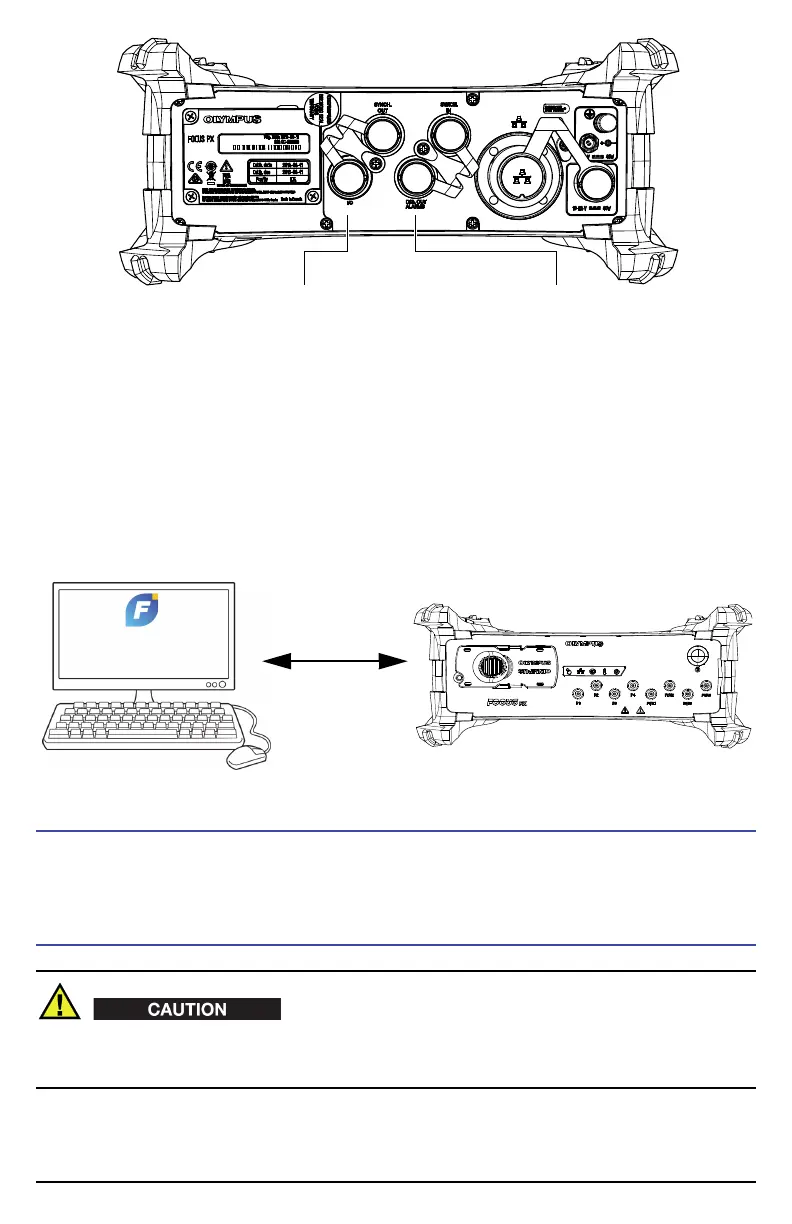
Start/stop inspection
Start/stop firing
Receive top turn signal
Reset encoder signal
Receive encoder signal
Connect a scanner
Supply power to an external device
Monitor alarms


 To Next Page