2
Preparation before use
The clip will automatically open as it extends from
the sheath. If you prefer to have the clip exit in a
closed position, apply slight pressure to the slider
of the handle as the yellow tube joint and handle
are connected.
1
MORE INSTRUCTIONS ON REVERSE
QuickClip Pro
™
Clip Fixing Device (HX-202LR, HX-202UR)
Quick Reference Guide
QuickClip Pro is designed for endoscopic clip placement within the gastrointestinal tract.
MR
MR Conditional
CAUTION: This guide is only a summary of the instructions for use for the HX-202LR and HX-202UR QuickClip Pro. Be sure to follow the Instruction
Manual included in the device packaging.
Align the clip with the target site
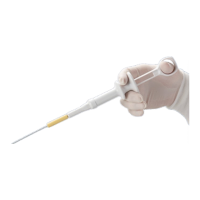
To align the clip with the target site, hold the yellow
cylinder with one hand and rotate the entire handle with
the other hand.
Remove the device from the package. Remove the black protective cap. Confirm the yellow tube joint, red stopper and
handle are connected without any gaps, and insert the device into the endoscopic channel.
Once the device extends from
the distal end of the endoscope,
remove the red stoppe
r.
Connect the yellow tube joint
and the distal end of the handle.
When the clip is in the desired position, remove your hand
from the yellow stopper.

 Need help?
 General




 To Next Page