57
EN
57
EN
For the operation method, refer to (P. 41).
Selecting the camera sound and its volume d [Sound Settings]
Submenu 2 Submenu 3 Application
Sound Type
1/2/3
Selects the camera sounds (operation sounds,
shutter sound, and warning sound).
Volume
0/1/2/3/4/5 Selects the operation volume of camera buttons.
q Volume
0/1/2/3/4/5 Selects the image playback volume.
d Settings Menu 2
Adjusting the image processing function d [Pixel Mapping]
• This function has already been adjusted at factory shipping, and no
adjustment is needed right after purchase. Approximately once a year is
recommended.
• For best results, wait at least one minute after taking or viewing pictures
before performing pixel mapping. If the camera is turned off during pixel
mapping, be sure to perform it again.
To adjust the image processing function
Press the A button when [Start] (Submenu 2) is displayed.
• The check and adjustment of the image processing function starts.
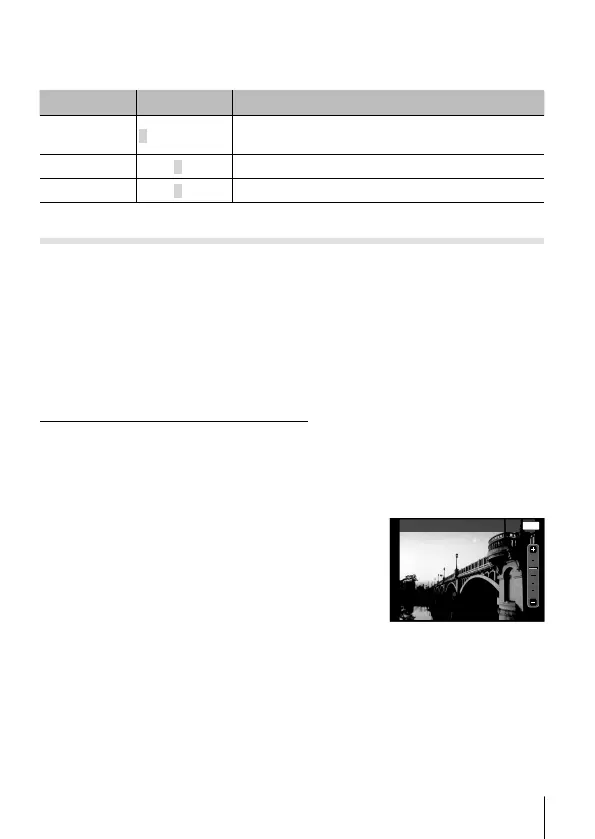
Adjusting the brightness of the monitor d [s]
1 Use FG to adjust the brightness while viewing
the monitor, and then press the A button.
MENU
Back
s


 To Next Page