53
EN
4
Use HI to select the image for print
reservation. Use FG to select the quantity.
Press the Q button.
MENU
OK
X
Date
Time
SetBack
NoNo
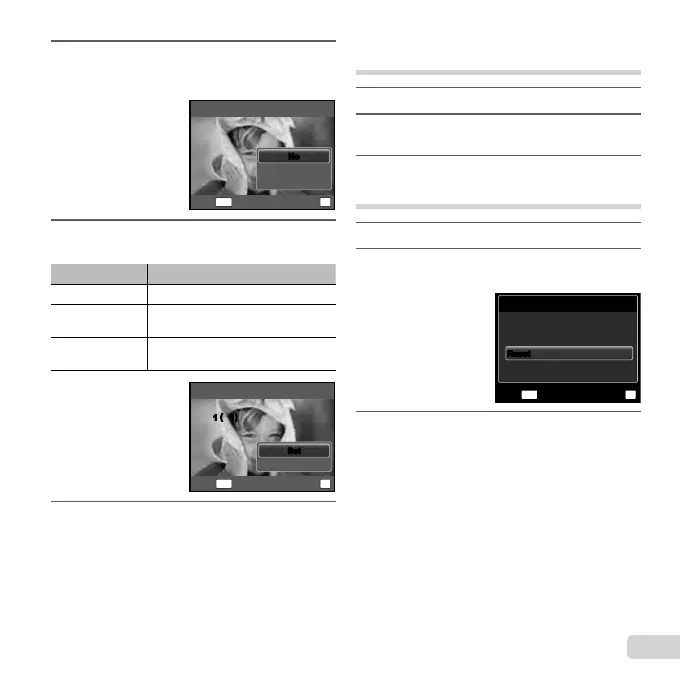
5
Use FG to select the [X] (date print)
screen option, and press the Q button.
Submenu 2 Application
No This prints the image only.
Date
This prints the image with the
shooting date.
Time
This prints the image with the
shooting time.
Print Order
Cancel
1
(
1
)
1
(
1
)
MENU
OK
SetBack
SetSet
6
Use FG to select [Set], and press the
Q button.
Reserving one print each of all images
on the card [
U
]
1
Follow Steps 1 and 2 in [<] (p. 52).
2
Use FG to select [U], and press the Q
button.
3
Follow Steps 5 and 6 in [<].
Resetting all print reservation data
1
Follow Steps 1 and 2 in [<] (p. 52).
2
Use FG to select either [<] or [U], and
press the Q button.
Print Order Setting
MENU
OK
Print Ordered
SetBack
Keep
Reset
Reset
3
Use FG to select [Reset], and press the
Q button.





 To Next Page