13
Controller Instructions
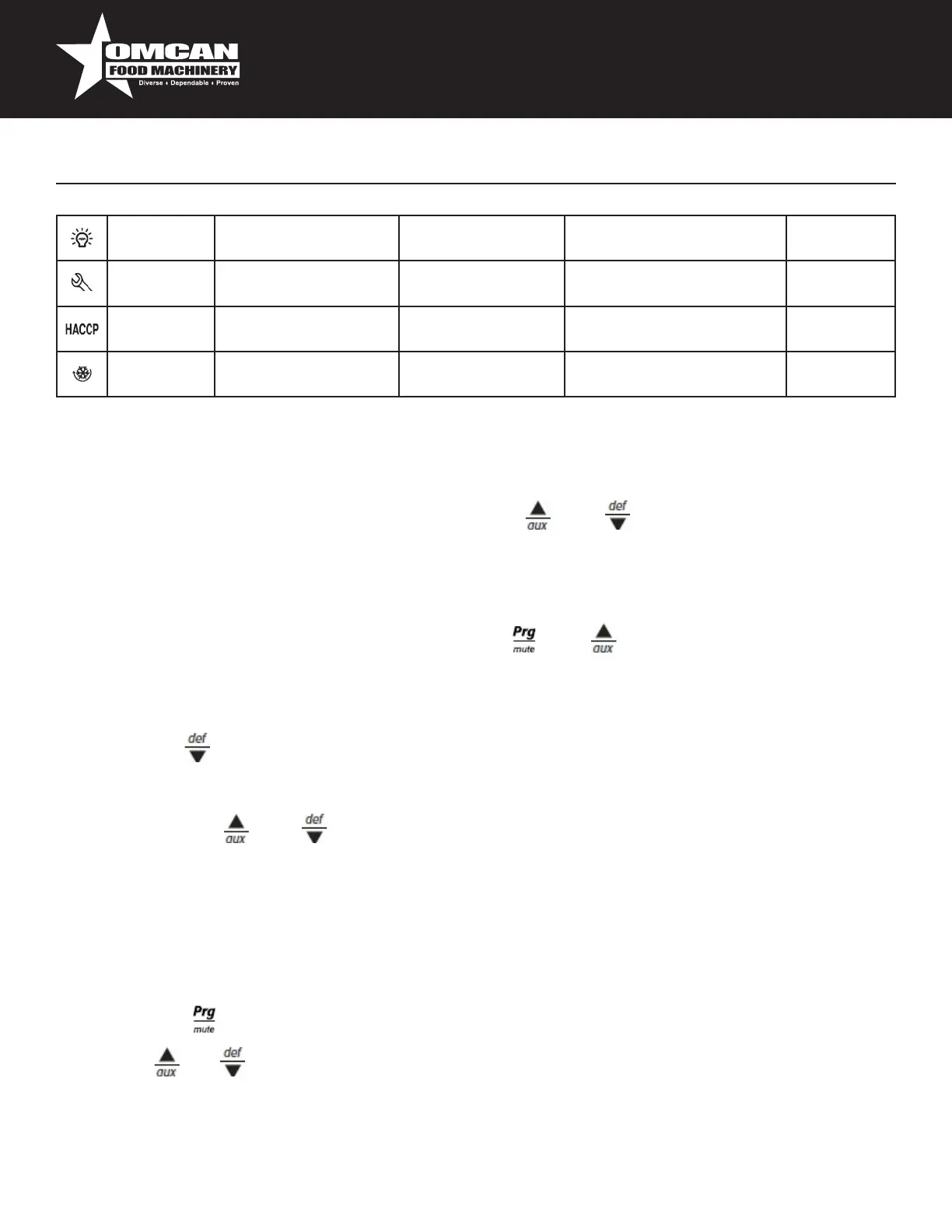
Light Auxiliaryoutputlight
active
Auxiliaryoutputlight
notactive
Anti-sweatheaterfunction
active
Service Nomalfunction Malfunction(eg.EEPROM
errororprobefault)
HACCP HACCPfunction HACCPfunction
enabled
HACCPalarm(HAand/or
HF)notenabled
Continuous
Cycle
Enabled Notenabled Request
Setting the set point (desired temperature value)
Todisplayorsetthesetpoint,proceedasfollow:
1. pressthe“Set”buttonformorethan1secondtodisplaythesetpoint;
2. increaseordecreasethevalueofthesetpoint,usingthe“”and“”respectively,untilreachingthe
desiredvalue;
3. pressthe“Set”buttonagaintoconrmthenewvalue,
Alarms with manual reset
Thealarmswithmanualresetcanberesetbypressingthe“”and“”formorethan5sec.
Manual defrost
Aswellastheautomaticdefrostfunction,amanualdefrostcanbeenabled,ifthetemperatureconditionsallow,
bypressingthe“”buttonformorethan5sec.
Continuous cycle
Pressingthebuttons“”and“”simultaneouslyformorethan5secondsenablesthecontinuouscycle
function.Duringoperationincontinuouscycle,thecompressorcontinuestooperateforthetime“cc”and
itstopswhenitreachesthe“cc”timeoutortheminimumtemperaturehasbeenreached(AL=minimum
temperaturealarmthreshold).Continuouscyclesetting:“cc”parameter(continuouscycleduration):“cc”=0
neveractive;“c6”parameter(bypassingthealarmafterthecontinuouscycle):”cc”=0neveractive;itavoidor
delaysthelowtemperaturealarmafterthecontinuouscycle.
Accessing the conguration parameter (type C)
1. Pressingthe“”and“Set”buttonsatthesametimeformorethan5sec,thedisplaywillshow
“00”(passwordprompt).
2. Usethe“”or“”buttonstodisplaythenumber“22”(parameteraccesspassword).
3. Conrmbypressing“Set”.
4. Thedisplaywillshowtherstmodiable“C”parameter.



 To Next Page