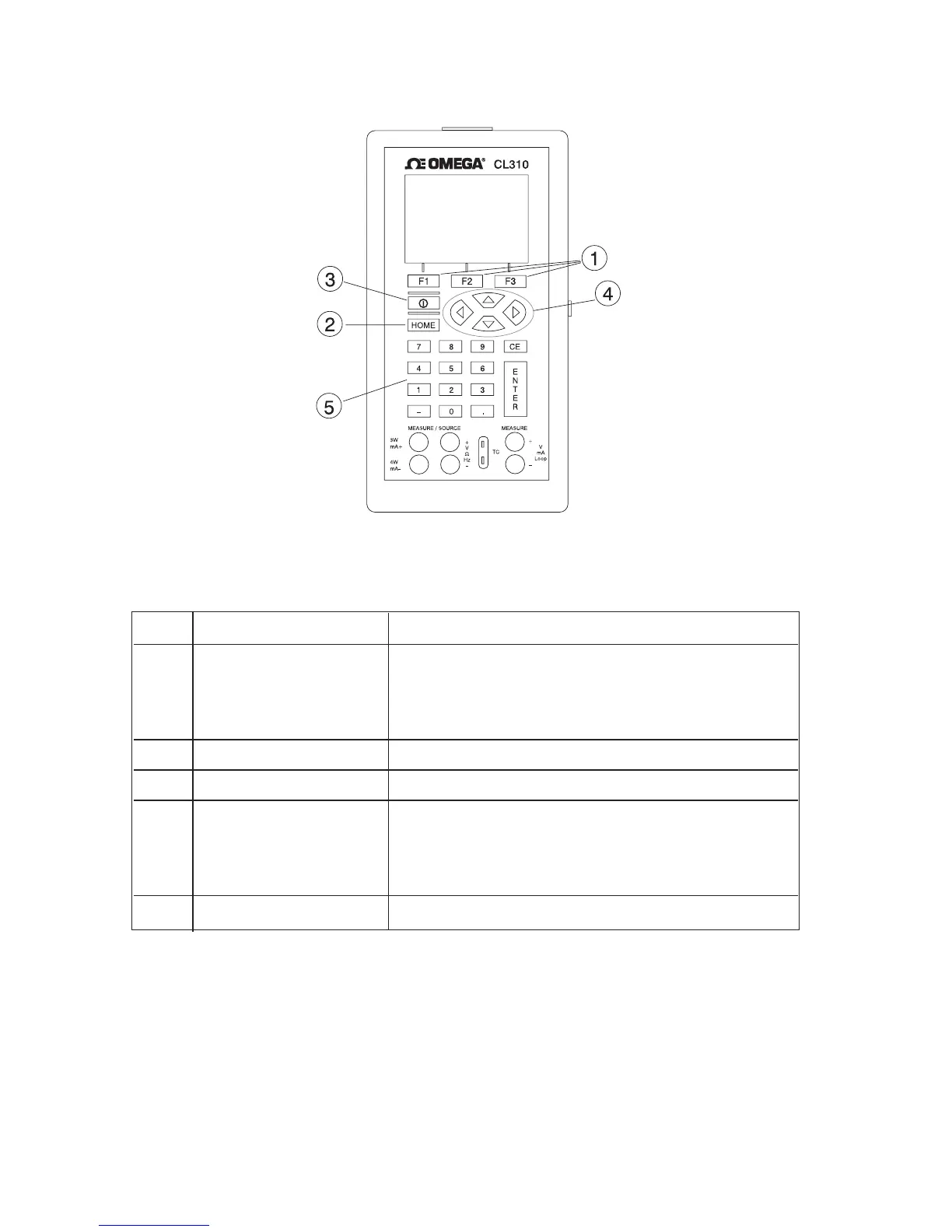
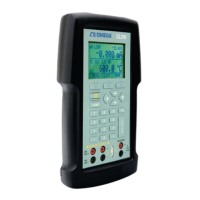
Figure 2 shows the location of the keys on the calibrator. Table 2 lists
the functions of each key.
Figure 2. Keypad
Table 2. Key Functions
No. Name Function
1 Function Keys Used to operate the menu bar at the bottom of
F1, F2, F3 the calibrator display. F1 is used for selecting
options in the left box, F2 for the center box,
and F3 for the right box.
2 Home Returns to home menu on the menu bar.
3 Power Turns calibrator on and off.
4 Cursor Control Key Left and right arrow keys are used to select
which decade to be changed in output value.
Up and down arrow keys are used to increase,
decrease, or ramp output value.
5 Numeric Keypad Allows user to enter Numeric values.
6


 To Next Page