EasyManua.ls Logo

Omni OP14NRWBA4RCM - User Manual

Omni OP14NRWBA4RCM
104 pages
Print Icon
To Next Page IconTo Next Page
Loading...
TM
MC
3813-088
3813-089
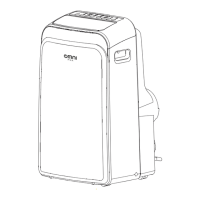
PORTABLE AIR CONDITIONER
OP14NRWBA4RCM
OP12N3WBA4RCM

Questions and Answers

  • J
    Jessica RivasAug 8, 2025
    Why is my Omni OP14NRWBA4RCM not cooling well?
    • A
      Andrea TorresAug 8, 2025
      If your Omni Air Conditioner isn't cooling well, there are several potential reasons. First, the air filter might be clogged with dust or pet hair; in this case, turn off the unit and clean the filter. Second, the exhaust hose could be disconnected or blocked; turn off the unit, disconnect the hose, check for obstructions, and reconnect it. It's also possible the unit is low on refrigerant, requiring a service technician to inspect and replenish it. Check if the temperature setting is too high and decrease it. Ensure all windows and doors in the room are closed and that the room size isn't exceeding the unit's cooling capacity. Finally, try to remove any heat sources from the room.
  • L
    leon12Aug 15, 2025
    What to do if my Omni Air Conditioner does not turn on?
    • M
      Molly SullivanAug 15, 2025
      If your Omni Air Conditioner doesn't turn on when you press the ON/OFF button, it could be due to a couple of reasons. One possibility is a 'P1' error code, which indicates that the water collection tray is full. To resolve this, turn off the unit, drain the water from the tray, and then restart the unit. Alternatively, if you're in COOL mode, the room temperature might be lower than the set temperature. If this is the case, try resetting the temperature.
  • A
    april76Aug 22, 2025
    How to reduce noise and vibration from my Omni OP14NRWBA4RCM?
    • T
      Troy MasonAug 22, 2025
      If your Omni Air Conditioner is excessively noisy and vibrates a lot, it might be because the ground isn't level. Try placing the unit on a flat, level surface. Another cause could be a dirty air filter blocked with dust or animal hair. In this case, turn off the unit and clean the filter according to the instructions.
  • A
    Alyssa MartinezAug 31, 2025
    Why does my Omni OP14NRWBA4RCM Air Conditioner make a gurgling sound?
    • R
      Rodney ParkAug 31, 2025
      The gurgling sound you hear from your Omni Air Conditioner is typically normal. It is caused by the flow of refrigerant inside the unit.

Summary

Preparation

Unit Components Overview

Identifies the front and rear parts of the air conditioner unit, including controls and outlets.

Safety Precautions

General Safety & Installation Guidelines

Covers safe installation, part usage, grounding, and general handling precautions.

Electrical, Fire, and Child Safety

Warns against electrical hazards, fire risks, and addresses child safety.

Refrigerant R32 Handling & Storage

Details safe storage, ventilation, handling flammable refrigerants and avoiding ignition sources.

Refrigerant Circuit Procedures

Describes repair, charging, and decommissioning procedures for refrigerant circuits.

Installation Location & Environment

Advises on choosing the right location and required clearances for proper operation.

Cooling Capacity & Purchasing Advice

Discusses cooling capacity, BTU, SACC and tips for purchasing.

Installation

Tools, Accessories, and Hose Assembly

Lists tools, accessories and begins exhaust hose assembly.

Exhaust Hose Assembly Steps

Step-by-step guide for assembling the exhaust hose.

Window Installation Methods

Details hung and sliding window installation procedures.

Operation

Swing, Sleep;Eco, and Control Panel Functions

Explains Swing, Sleep/Eco modes and control panel buttons.

Operating Modes (COOL, HEAT, DRY, AUTO, FAN)

Details instructions for operating various modes.

Timer, Other Features, and Water Drainage

Explains TIMER, SLEEP/ECO, AUTO-RESTART, Air Flow, Water Drainage.

Water Drainage and Error Handling

Covers drainage for heating mode and handling P1 error codes.

Maintenance and Troubleshooting

Maintenance Safety & Air Filter Care

Emphasizes safety during maintenance and air filter cleaning.

Unit Cleaning and Storage

Procedures for cleaning the unit and storing it when not in use.

Fault Diagnosis Guide

Diagnoses and resolves common operational problems.

Design and Compliance Notes

Design Notice and Unit Temperature Ranges

Provides general design notes and operating temperature ranges.

Remote Controller Instructions

Remote Specifications, Battery Handling, and Buttons

Details remote specs, battery handling, and button functions.

Basic Operation Modes (COOL, DRY, FAN, AUTO, HEAT)

Step-by-step instructions for operating basic modes via remote.

Timer and Advanced Functions

Explains timer, sleep, I SENSE, and shortcut functions via remote.

Compliance and General Notes

Provides FCC/IC compliance, general notes, and button design variations.

Smart Features Setup and Use

Specifications, Precautions, and App Setup

Lists specs, precautions, and guides app download/installation.

User Registration and Network Configuration

Covers account setup and connecting the device to WiFi.

Network Configuration Methods & Success

Explains network setup via Bluetooth/app and success confirmation.

Special Functions, App Usage & Compliance

Details app control, sharing, firmware, and compliance.

Air Conditioner Limited Warranty

Consumer Responsibilities and Exclusions

Outlines user duties and conditions not covered by warranty.

Obtaining Warranty Service

Provides steps and contact information for warranty repairs.

Omni OP14NRWBA4RCM Specifications

General IconGeneral
BrandOmni
ModelOP14NRWBA4RCM
CategoryAir Conditioner
LanguageEnglish

Related product manuals