9-6 Manual Override
Removal Procedure
1-, 2-, 3-Cell Color Touch Installation and Service Guide/67-2014 Rev G © 2011 Omnicell, Inc.
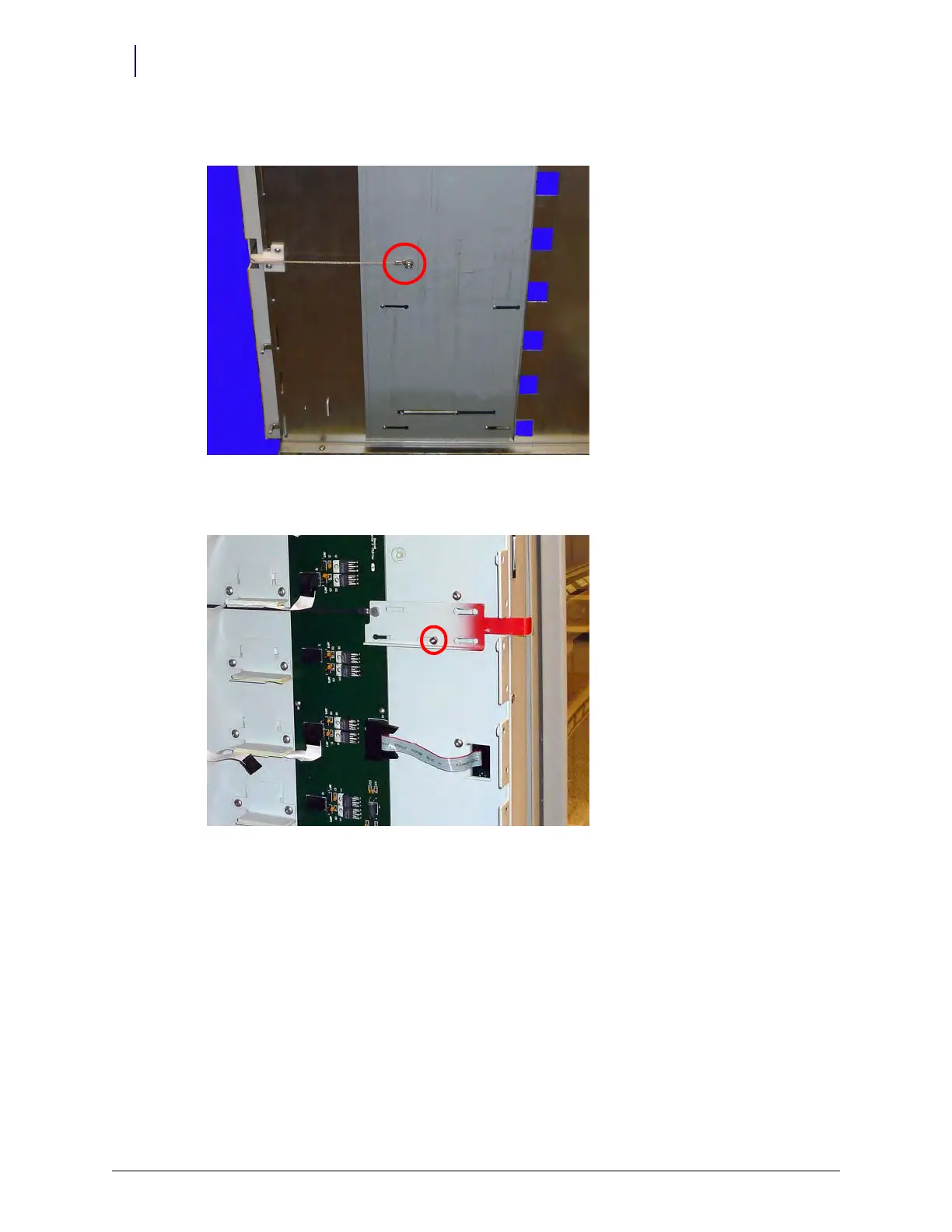
15. Remove the nut securing the manual override to the back side of the rear carrier wall.
Figure 9-9. Remove the nut securing the manual override to the back side of the rear carrier wall.
16. Remove the buttonhead screw securing the manual override to the carrier wall.
Figure 9-10. Remove the buttonhead screw securing the manual override to the carrier wall
17. Slide the manual override away from the rear of the frame and remove the manual override.



 To Next Page