1
6
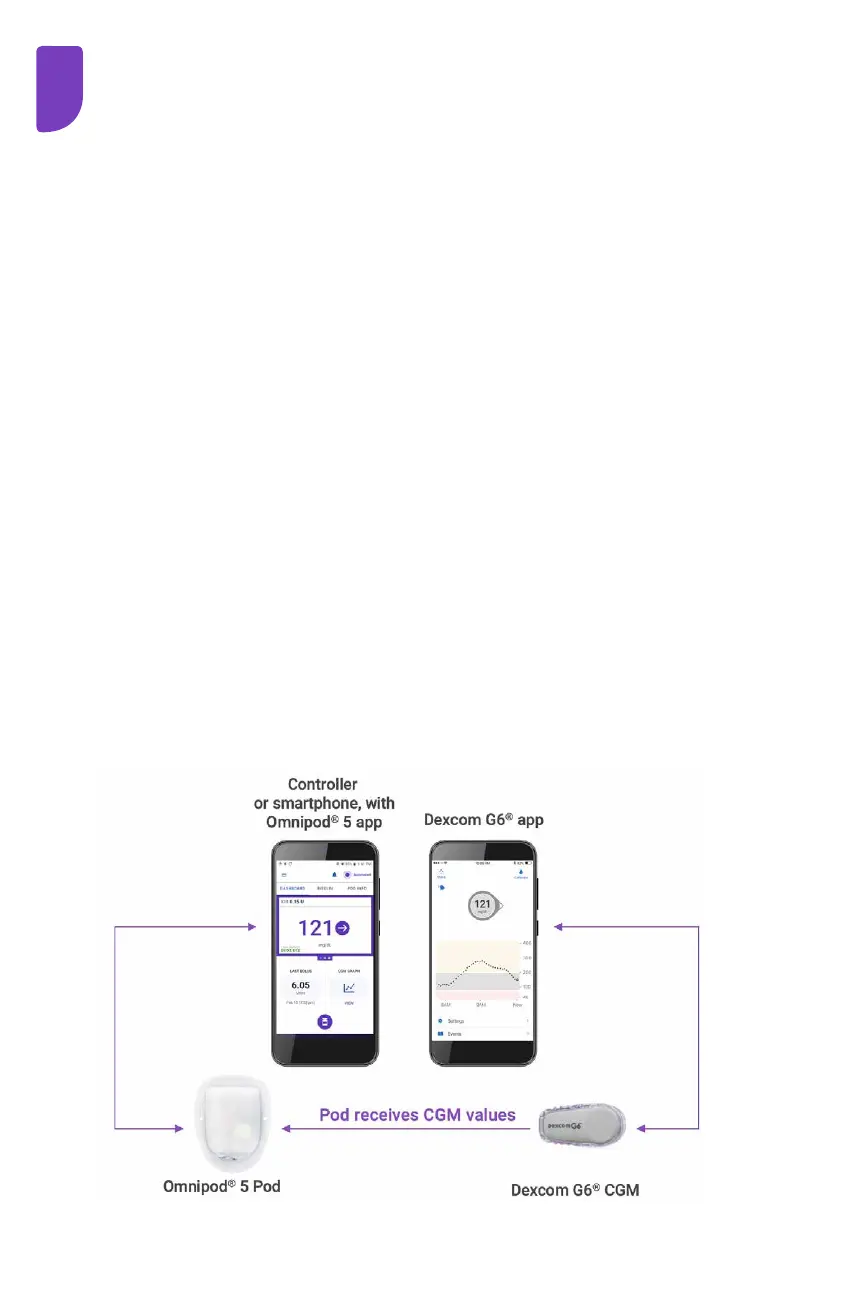
Omnipod 5 System Overview
The Omnipod 5 App
• on provided Controller or a compatible smartphone
• sends commands to the Pod
• displays glucose and insulin information from the Pod
• used to issue meal and correction boluses
The Pod
• delivers insulin to your body
• receives commands from the Omnipod 5 App
• receives CGM values from Dexcom G6 Transmitter
• sends CGM values to the Omnipod 5 App
• automatically adjusts insulin delivery in Automated Mode
The Dexcom G6 Transmitter
• sends CGM values to the Pod and to the Dexcom G6 app
• does not communicate directly with the Omnipod 5 App
• cannot communicate with a Dexcom G6 receiver while paired
with a Pod
For CGM-specific information, refer to your Dexcom G6
CGM System User Guide.
Omnipod 5 App screens are for educational purposes only. Consult your healthcare
professional before using these features and for personalized recommendations.



 To Next Page