13
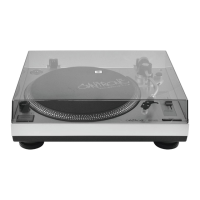
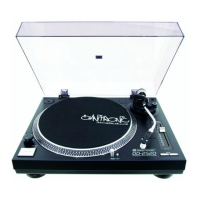
1. Dustcover
2. Hinge
3. Puck
4. Platter
5. Center
6. Slipmat
7. Voltage selector
(underneath the platter)
8. Power switch with
strobe-lamp
9. START/STOP-button
10. Speed-s elector
11. Target light
12. Lamp sw itch
13. Headshell
14. Pitchfade r
15. Ton earm
16. Armrest
17. Tonearm- clamp
18. Tonarm- lift
19. Anti-Skatin g-wh eel
20. Counterweight-scale
21. Counterweight
22. Cartridge holder
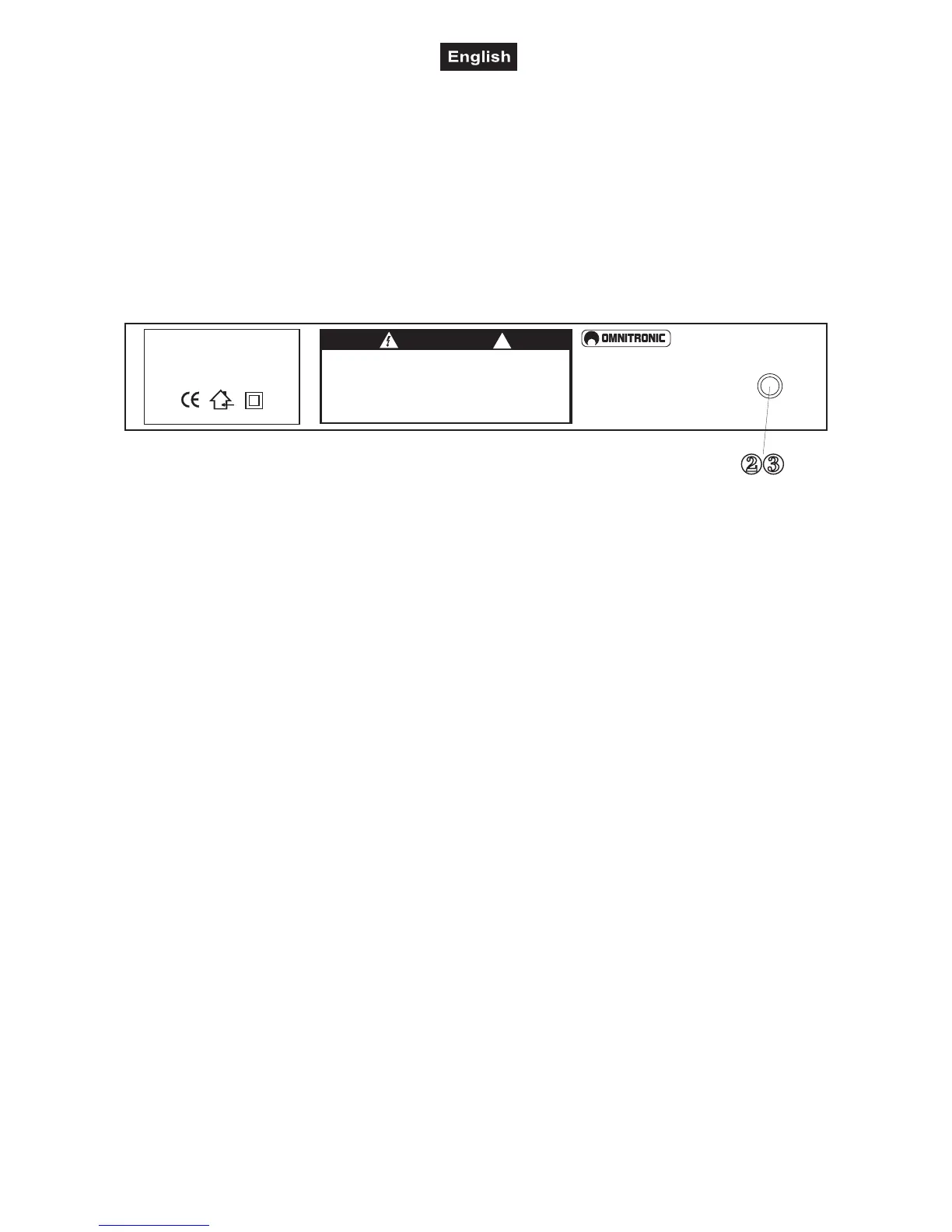
6. CONNECTIONS
OMNITRONIC
CAUTION
Read manual before use.
To prevent electrical fire and shock hazard, do not expose this appliance
to moisture. Risk of electric shock! Do not open! Disconnect from mains
before changing fuse. Replace the fuse only with the same type and rating.
Vor Gebrauch Anleitung lesen.
Gerät vor Feuchtigkeit schützen. Bei Sicherungswechsel Netzstecker ziehen!
Nur Sicherungen mit gleichen Leistungswerten einsetzen.
Lire le mode d’emploi avant l’utilisation.
Afin de prévenir tous risques d’électrocution et de court-circuits, ne pas exposer
à l’humidité.Débrancher avant de remplacer le fusible.
Utiliser un fusible de rechange de même type.
Gefahr! Gerät nicht öffnen!
Attention! Ne pas ouvrir le boîtier!
!
REMOTE
START/STOP
Typ/Type:
Spannungsversorgung/Power supply:
Gesamtanschlusswert/Power
consumption:
OMNITRONIC BD-1520
115/230 V AC, 50/60 Hz ~
8W
OMNITRONIC SHOWEQUIPMENT GmbH, GERMANY
Connect the RCA-cables (white=left channel, red=right channel) with the PHONO IN-sockets of your
amplifier or mixer. Connect the ground lead with the ground terminal of your amplifier or mixer.
You can connect a footswitch etc. with the REMOTE START/STOP socket.
Connect the turntable to the mains.
7. ADJUSTING
A) Adjusting the counterweight
• Remove the stylus cover.
• Set the Anti-skating-wheel to the 0 position.
• Set the tonearm lift to the down position
• Release the tonearm from the armrest and move it to a position between the turntable and the armrest.
Make sure that you do not damage the stylus.
• Carefully hold the tonearm and adjust the counterweight by turning it clockwise or anti-clockwise
respectively. The tonearm should be balanced to a horizontal position.
• Move the tonearm back to the armrest and clamp it.
• Set the scale on the counterweight to the 0 position without turning the counterweight.
• Turn the counterweight clockwise until the scale shows the value corresponding to the pressure of the used
stylus. The stylus pressure of the pick-up system included in the delivery is 1.5 g. Should you use a separate
pick-up system, please follow the manufactuer's instructions.
B) Adjusting the tracking force
Set the Anti-skating-wheel to the value equivalent to the pressure of the used stylus. The stylus pressure of
the pick-up system included in the delivery is 1.5 g. Should you use a separate pick-up system, please follow
the manufacturer's instructions.
C) Adjusting the playback-speed
• Set the speed to 33 rpm
• Press the START/STOP-button and the turntable begins to rotate.
• Watch the dotted lines on the platter's edge. The numbers next to the strobe-lamp correspond to the
playback-speed adjusted via the Pitchfader.
Should the dots of the upper line seem to be standing still, the playback-speed is +7,2 %,
should the dots of the second line seem to be standing still, the playback-speed is +3,3 %,
should the dots of the third line seem to be standing still, the playback-speed is 0 %,
should the dots of the lowest line seem to be standing still, the playback-speed is -3,3 %,.



 To Next Page