Operating Elements and Connections
22
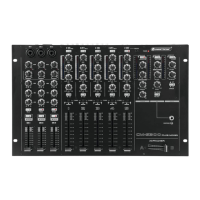
18 FOH input Balanced 6.3 mm jack input specifically designed to allow the
connection of the output of a stage mixer, in order to use the
connected sound system for the replay of the stage mixer’s signal.
This is useful in applications where apart from stereo source replay
also live music is performed over the same sound system.
19 Microphone inputs MIC 1 to 3
Balanced combo XLR and 6.3 mm jack connectors. Please note
that no phantom power is available for these inputs, so they can
only be used with dynamic microphones.
20 GAIN control for microphone
inputs
Allows adjustment of the input sensitivity to compensate for
different source volumes. To facilitate proper setting of microphone
gain levels, each channel has an additional OVL LED (21) which
illuminates at 0 dB to give indication when a suitable gain value is set.
21 OVL LED Indicates when the level after the gain control (20) reaches 0 dB, to
allow proper input gain setting depending on the connected
microphone.
22 COMPRESSOR control This controls the threshold and make-up gain of the built-in
compressor, with all other variables fixed (ratio = 2:1, attack time
approx. 25 msec, release time approx. 300 msec, “hard knee”
characteristic). The threshold runs from +20 to -5 dB and the make-
up gain runs from 0 to +9dB as the control is rotated clockwise.
This means that at the outmost counter-clockwise position, the
compressor is effectively off, and at the outmost clockwise position
will compress all signals peaks above -5 dB with its set parameters.
23 Microphone equalizer Allows the adjustment of the tonal balance for microphone inputs 1
to 3 in three voice-specific frequency bands with an adjustment
range of ±12 dB.
24 FX assign switches These switches allow the relative channel to be assigned to the
effects bus, in order to send a signal to an external effects
processor for generation of an effect. To make such microphone
signal available for external processing, the switch (44) must be set
to “Mic to EFX” and the controls (42, 43, 45) must be set
appropriately, as well as the controls on the external effects
processor.
25 Microphone on/off switches Enable and disable the relative microphone channels.
26 Channel faders 60mm high-grade dual-rail faders to set the volume for each
microphone channel.
27 Input selector switch for
stereo input channels.
Selects one of two rear-panel sources to be used with the
respective input channel.
28 Input gain control for stereo
input channels
Allows to compensate for different source levels. To make a correct
setting, observe the input level meter (29) and set the gain control
to not exceed the 0dB mark.
29 VU meter Input level meters for stereo Input channels. Display the signal level
after the GAIN controls (28).
30 Equalizer for stereo input
channels
Allows the adjustment of the tonal balance for each of the inputs
separately in three music-specific frequency bands with an
adjustment range of -26/+12dB, thus providing a virtual “kill”
function for each frequency band if set to extreme attenuation.
31 CUE switch for stereo input
channels
Assigns the respective channel to the headphone bus for pre-fader-
listening (PFL) by means of the headphone output (51). The LED
indicates the pressed position.
32 CROSSFADER assignment
switch
Allows to send the respective channel’s signal either directly to the
master bus, or to the left side of the crossfader (34) when set to
position “A”, or to the right side of the crossfader (34) when set to
the position “B”. When all input channels are assigned directly to
the master bus, the crossfader (34) is disabled.
33 Channel faders 100mm high-grade dual-rail faders to set the volume for each
stereo input channel.



 To Next Page