16
Rear Panel
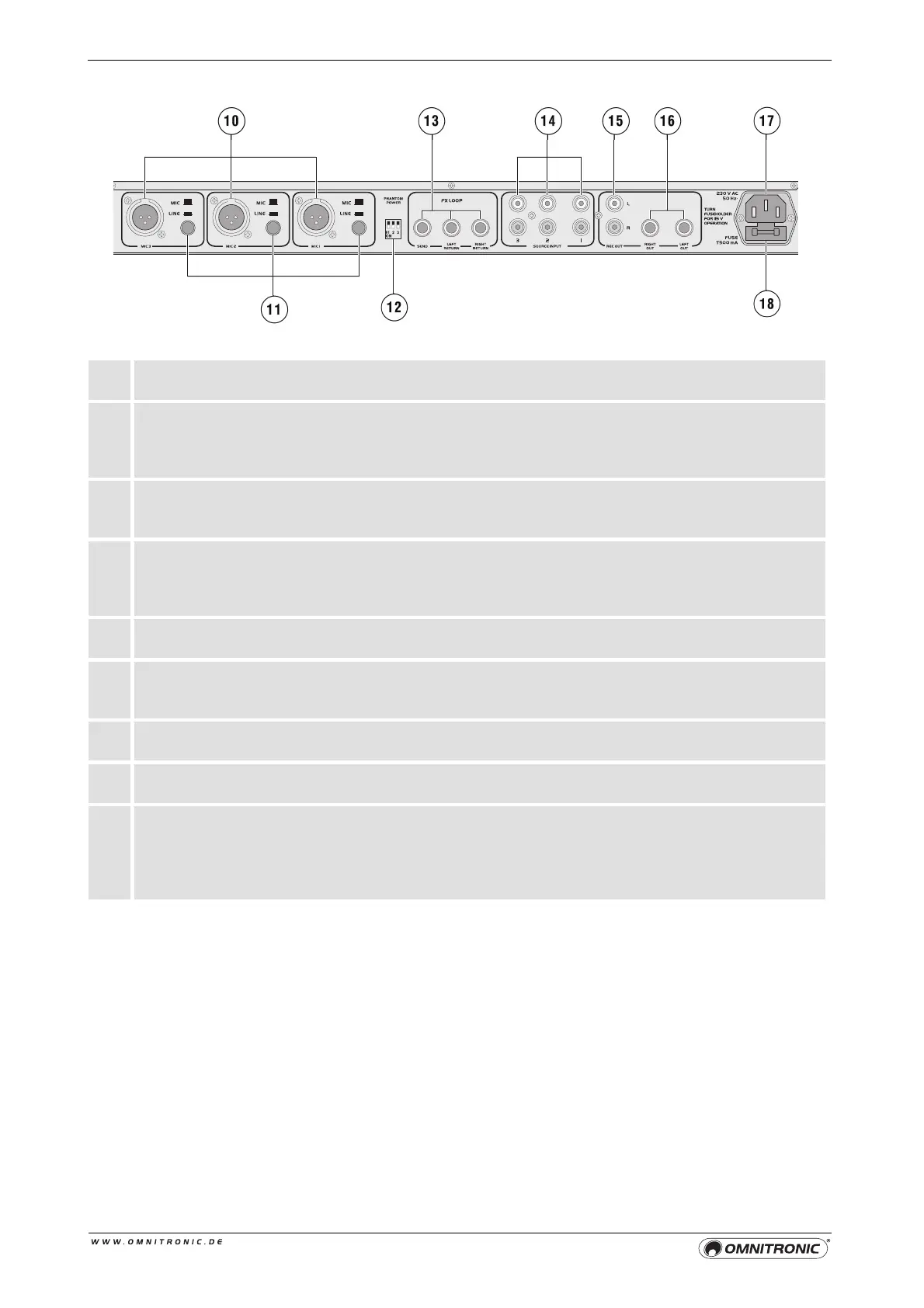
10 Mono inputs
XLR jacks for the mono channels MIC 1-3 for connecting microphones or units with line level.
11 Input selector MIC/LINE
Selector switch for the mono inputs MIC 1-3.
• button not pressed: input switched to microphone level
• button pressed: input switched to line level
12 DIP switches
With these switches you can switch on a 12 V phantom power separately for each of the XLR
jacks. For activating the phantom power set the individual switch to the lower position ON.
13 Connectors SEND/RETURN
The EM-260 features a serial path for external effects. Connect the mono output (6.3 mm jack)
SEND to the input and the stereo input LEFT/RIGHT RETURN to the output of your external effects
unit.
14 Line inputs
RCA jacks for the stereo channels 1-3 for connecting units with line level outputs (e.g. CD players).
15 Output Rec
Stereo output (RCA) for connecting a recording unit. The recording level is independent of the master
control.
16 Master output
Stereo master output (6.3 mm jack) for connecting your PA amplifier.
17 Power input
Plug in the supplied power cable here.
18 Fuse holder/voltage setting
• Before replacing the fuse disconnect the unit from the mains. Only use fuses of the same rating
and power. The correct fuse value is specified on the rear panel.
• The fuse holder can be switched to one of two positions, i.e. 230 V and 115 V. The default setting
is 230 V.


 To Next Page