15
4
OPERATING ELEMENTS & CONNECTIONS
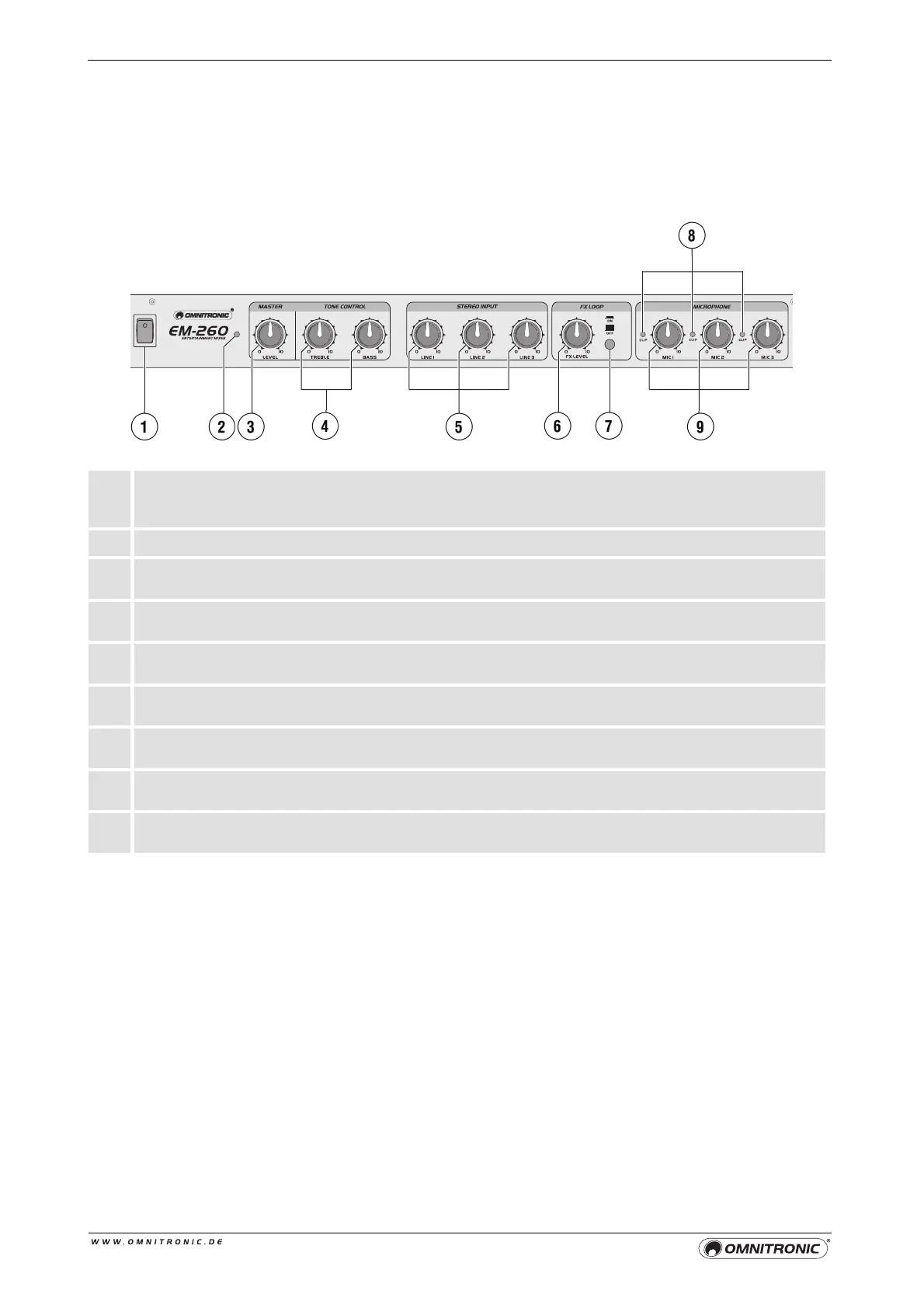
Front Panel
1 Power on/off
Press this button to turn the unit on and off. The power indicator lights up when the EM-260 is
powered on.
2 POWER LED
3 Master control
Level control for the master output LEFT/RIGHT OUT.
4 Tone controls
2-band equalizer for the master output: HIGH and LOW.
5 Level controls LEVEL 1-3
Level controls for the stereo channels 1-3.
6 Control FX LEVEL
For mixing the effect signal to the mono channels.
7 FX LOOP on/off
On/off switch for the effect loop. With the button pressed, the effect loop is activated.
8 Overload LED CLIP
Lights up in case of overload of the input channel.
9 Level controls MIC 1-3
Level controls for the mono channels 1-3.


 To Next Page