00026389.DOC, Version 1.1
21/31
At the mono input channels, the microphone signals are connected via the XLR-sockets, the line-signals via
t
he jack sockets.
Please note: you must only connect one kind of signal to a mono channel – either mic or line.
You can also run a stereo channel in mono when you only connect the left input socket.
MIC
Here, you can connect condenser microphones or dynamic microphones via balanced XLR-cables. For
condenser microphones, you can activate the phantom power via the +48V-switch. Please respect the
warnings under +48V-switch.
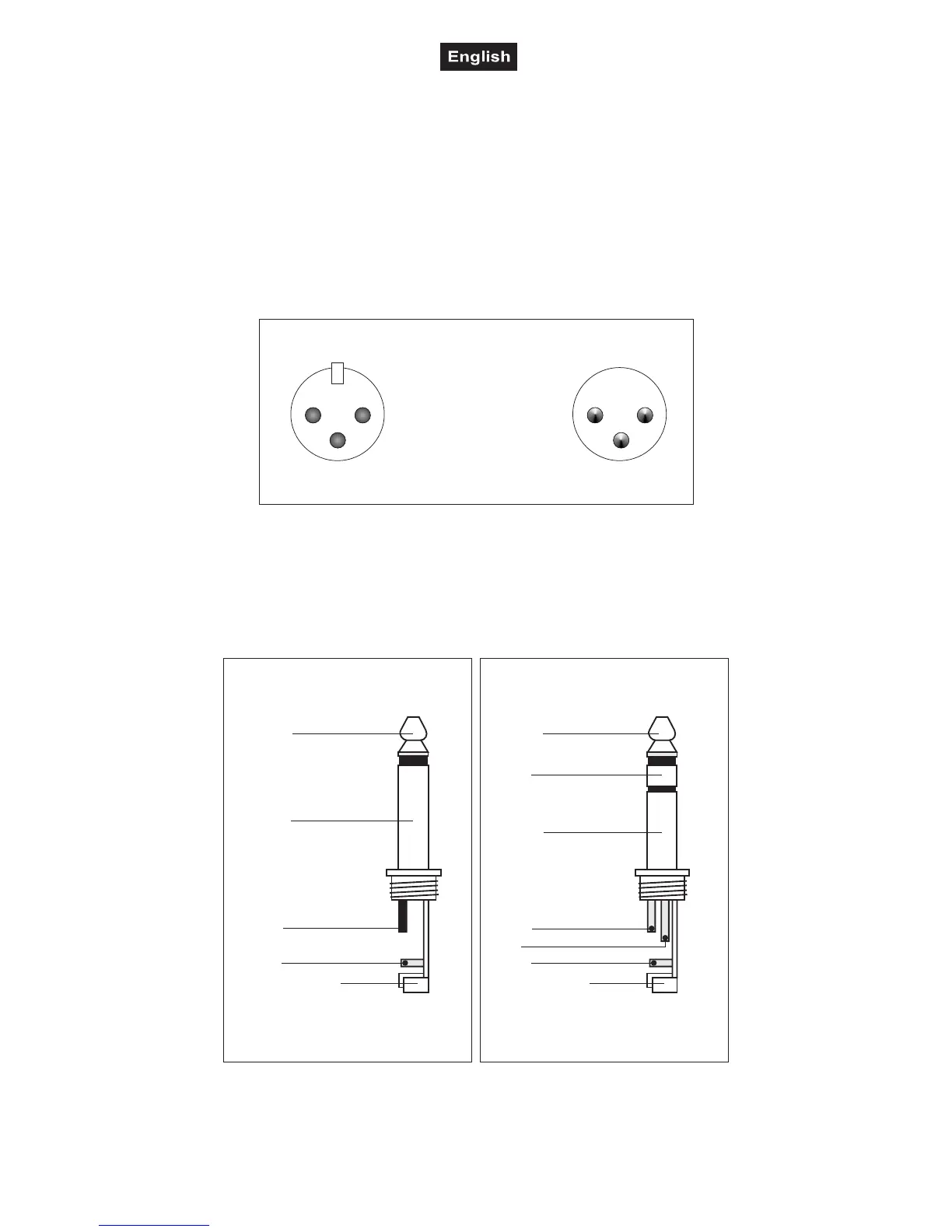
Occupation balanced XLR-connection:
2
1
3
1
2
3
BalancedusewithXLRconnectors
1=Ground/Shield
2=Hot(+)
3=Cold(-)
Forunbalancedusepin1andpin3havetobebridged
Input Output
LINE
Here, you can connect the line-signals via balanced or unbalanced jack plugs.
Please note: Never activate the phantom-power when connection unbalanced jack plugs. The voltage
between the pins may lead to severe damage!
Occupation jack plug:
Unbalanceduseof
mono1/4"jackplugs
Tip=
Signal (+)
Sleeve=
Ground/Shield
Tip
Sleeve
Strainreliefclamp
Balanceduseof
Tip=
hot(+)
Sleeve=
Ground/Shield
Tip
Sleeve
Strainreliefclamp
stereo1/4"jackplugs
Ring=
cold(-)
Ring
Forconnectionofbalancedand
unbalancedplugs,ringandsleevehave
tobebridgedatthestereoplug.


 To Next Page