19
Change the air filter every 60 days even if the air filter does not appear
dirty. If the air filter appears dirty, or if water or medication has spilled on
the air filter replace with a new air filter immediately.
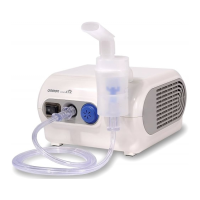
1. Pull the air filter cover to remove from the
front side of the compressor.
2. Remove the dirty filter with a small pointed
object.
CAUTION
Do not attempt to wash or clean the air filter. Damp
air filters can cause blockages. Do not substitute
cotton or any other material for the air filter.
CAUTION
Wash the air filter cover regularly to prevent any
blockage in the cover. Do not boil. Make sure the
cover is dry before inserting the new air filter.
3. Insert a new air filter into the air filter cover.
CAUTION
Before inserting the new air filter make sure the air filter is clean and free of
dust. Do not operate the device without the air filter. Use only the Omron air
filter designed for this device.
4. Put the air filter cover back on the compressor.
CHANGING THE AIR FILTER
NE-C28- IM Final 6-8-06 6/8/06 2:21 PM Page 18


 To Next Page
 Loading...