4-5
4 Screen Creation
NB-series Programmable Terminals Startup Guide Manual(V109)
4-3 Creating Project
4
4-3 Creating Project
This section describes the procedures to set parameters and creat a project effectively for NB7W-
TW00B by way of example. The date created through NB-Designer are regarded as “Project”.
Project creation should be started with setting the configuration plan when using NB-Designer the first
time.
1
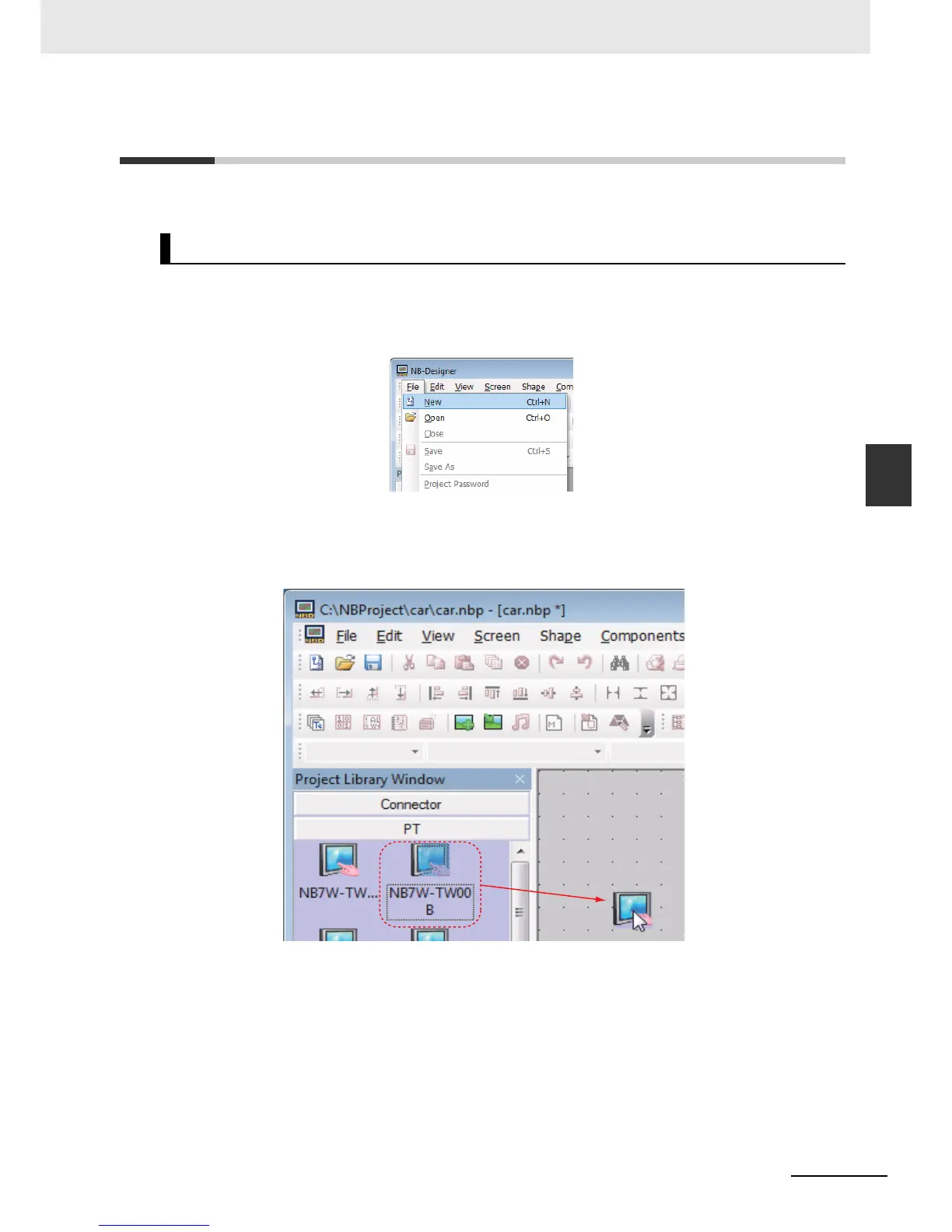
Select [File]-[New] from the main menu. The [New Project] dialogue border will pop up.
2
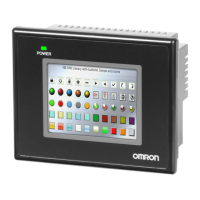
Select [NB7W-TW00B] from [PT] Project Library, drag PT to the edit window after selecting it
with a single-click.
Select “horizontal” for PT display Mode.
Note
Even when the other model is used, the project can be created by the same operations.
Creating New Project






 To Next Page