Need help?
Do you have a question about the Omron NY532-1500 and is the answer not in the manual?
Describes the target personnel for understanding the manual's content.
Lists the NY-series Industrial PC models covered by this manual.
Details how NY-series Controllers comply with EU Directives and installation requirements.
Explains how to check unit versions using the Sysmac Studio software.
Describes the capabilities and characteristics of the Motion Control Function Module.
Outlines the hardware and software components involved in the Motion Control system.
Details the fundamental steps for performing motion control operations.
Details performance metrics like maximum axes, groups, and points.
Explains the internal software structure of the NY-series Controller and its modules.
Describes how the MC Function Module is configured within the system.
Discusses the tasks and their priorities for executing motion control instructions.
Defines what an axis is in a motion control system and lists supported types.
Describes the step-by-step process for setting up an axis in Sysmac Studio.
Explains the concept of axes groups for performing complex multi-axis operations.
Describes the capabilities of the MC Test Run function for checking wiring and basic settings.
Details how to perform homing operations and set homing parameters.
Introduces axis and axes group parameters for motion control operations.
Lists and explains various parameters for configuring axis operations like velocity, homing, and limits.
Lists parameters for configuring axes group operations such as interpolation and stopping methods.
Introduces the concepts of motion control programming and instructions.
Overviews the types of motion control instructions supported by the MC Function Module.
Describes the states that an axes group can be in during operation.
Explains the fundamental rules for executing motion control instructions, including input and output variables.
Explains how to turn the Servo ON or OFF using the MC_Power instruction.
Outlines the procedure for performing jogging using the MC_MoveJog instruction.
Details how to set homing parameters from Sysmac Studio to specify the homing procedure.
Explains how absolute encoder offset compensation is performed during homing.
Describes the function for quick positioning to home using the MC_MoveZeroPosition instruction.
Describes the MC Function Module's single-axis control functions for position, velocity, and torque.
Describes synchronizing a slave axis position with a master axis position.
Describes coordinated control of multiple axes as a single group for path control.
Covers various other functions like torque limit, latching, and zone monitoring.
Provides information that applies to all of the sample programming sections.
Provides programming samples for basic MC Function Module functions.
Describes how to check for errors using Sysmac Studio, HMI, instructions, and system-defined variables.
Identifies error sources within the MC Function Module, EtherCAT, and connected devices.
Provides a troubleshooting guide for common problems and their solutions.
Describes the wiring procedures for connecting the 1S-series Servo Drive using EtherCAT.
Outlines the Servo Drive settings used for OMRON 1S-series Servo Drives with EtherCAT communications.
Describes the wiring procedures for connecting the G5-series Servo Drive using EtherCAT.
Outlines the Servo Drive settings for OMRON G5-series Servo Drives with EtherCAT.
Describes wiring to OMRON GX-series EtherCAT Encoder Input Terminals.
Outlines settings for OMRON GX-series Encoder Input Terminals for MC Function Module.
Describes the relationship between PDS State Control Method parameter and PDS states.
Explains how to select detection of main circuit power supply OFF state while Servo is ON.
Provides definitions of terms related to the NY-series Controller.
Defines terms specifically related to motion control functions.
Defines terms related to EtherCAT communications.
 General
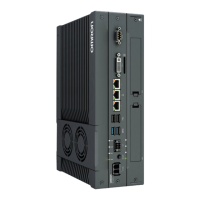
| Model | NY532-1500 |
|---|---|
| Category | Industrial PC |
| Operating System | Windows Embedded Standard 7 |
| Ethernet Ports | 2 |
| DisplayPort | 1 |
| USB Ports | 4 |

 To Next Page