Easy Installation
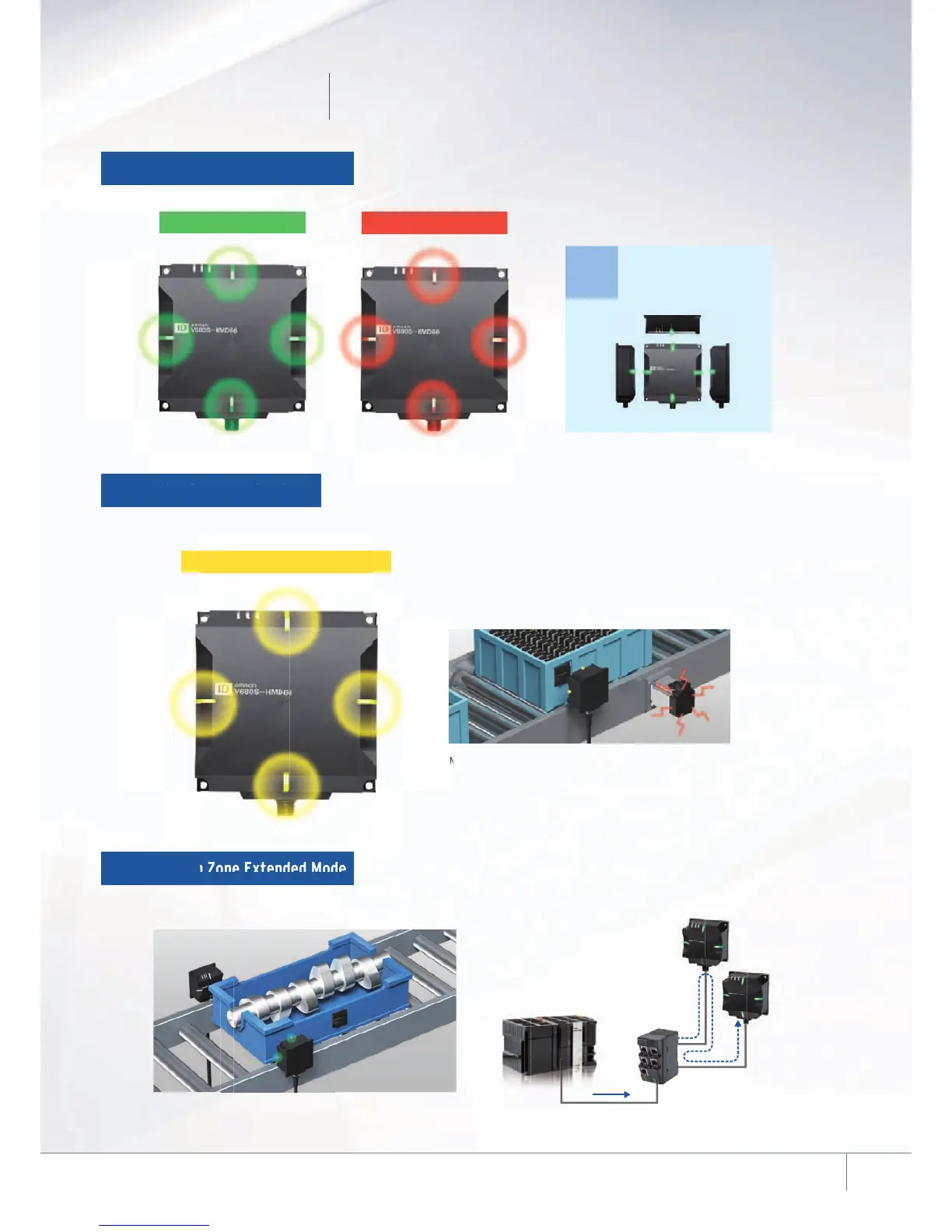
Communication Diagnostic via LED status indicators
Easy to find the best installation location
On-site operators can easily check the communications status with the indicators of the Reader/Writer.
The indicators using easy-to-see high-brightness LED can be easily seen from a distance.
Visualized Communications Status
The Reader/Writer measures the communications signal and ambient noise levels to diagnose its stability,
then indicates in LED and report to Host System.Easily and quickly checks the proper installation of the system,
and helps to reduce startup time. This can be used for preventing errors during operation.
Diagnosis of Communications
Can control multiple Reader/Writers by sending just one command.
The Reader/Writers installed on both sides of the conveyor can access the RF Tags
on the pallets even if the pallets are not placed with the same orientation.
Interrogation Zone Extended Mode
HUB
Host Device
Note: 1. Communication Diagnostic is disabled in the default settings.
2. The communication time is longer when enabling Communication Diagnostic.
For details, refer to the User's Manual (Cat. No. Z339 or Z353).
7











 To Next Page