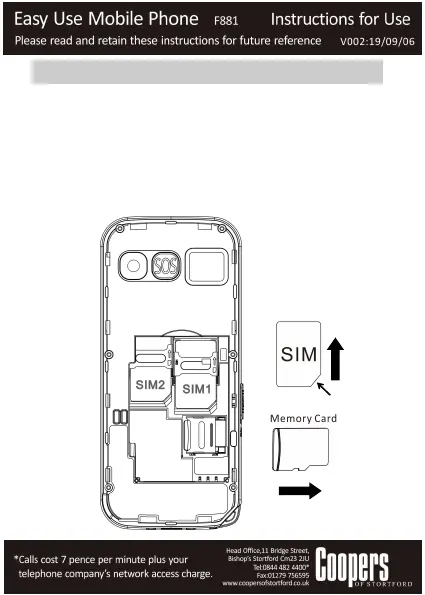
1.2 Insert the SIM card
The mobile phone supports two SIM cards at the same time.
How to insert SIM cards:
Make sure that the phone is switched off.
Remove the battery cover and take out the battery.
Insert and push the SIM card into SIM1 or SIM2.Make sure
that the metal contact of the card is facing down and the
beveled corner is in the direction as shown in the picture.
Put the battery back and close the battery cover.


 To Next Page