13
Dual Mode IntelliPlug AVC014
SECTION
Table of Contents
1
2
3 4 5
INSTALLATION CONFIGURATION for TV - Audio Visual Mode
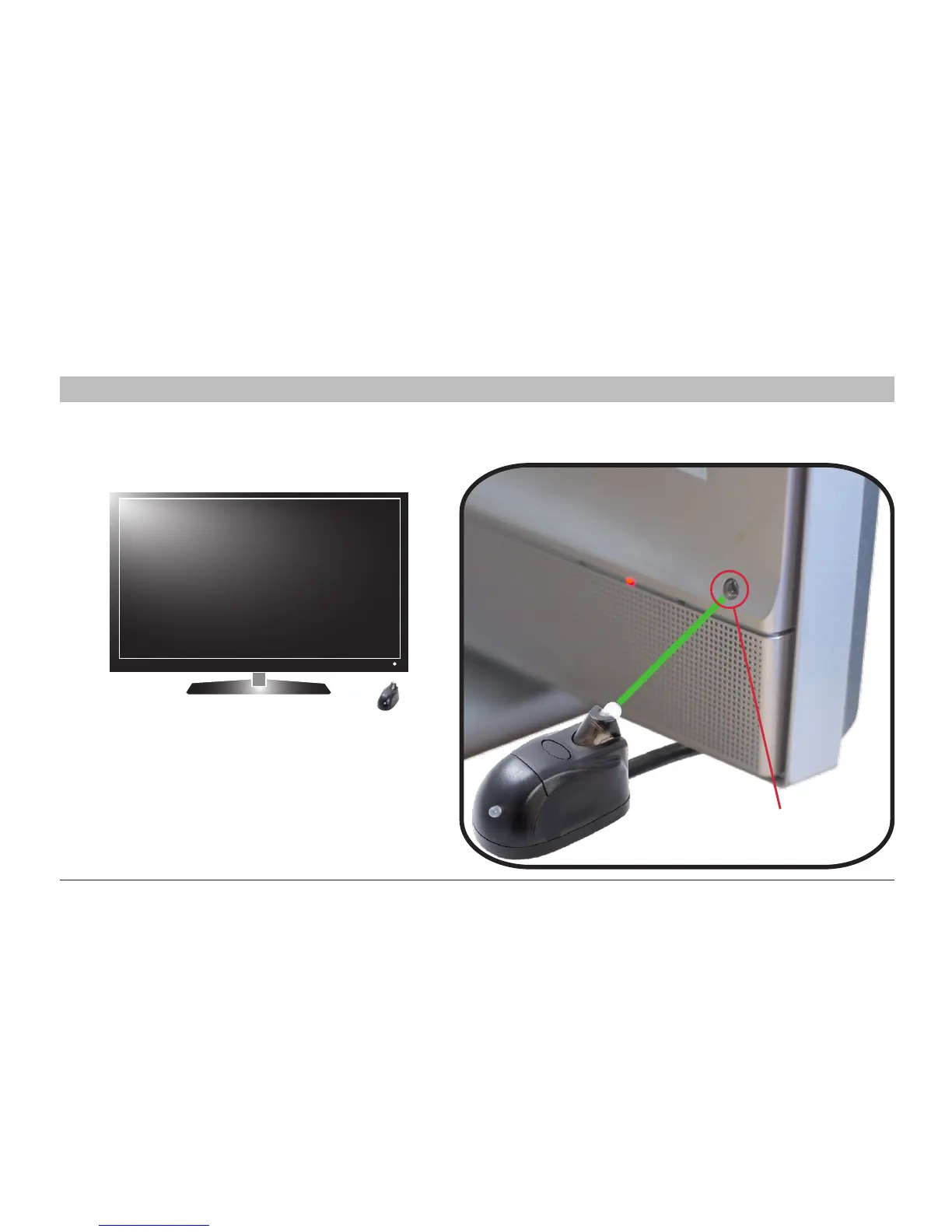
Step 6 Plug the One Click IntelliPlug into the mains socket, turn the power on and position the Remote Sensor
in line of sight by your television.
NB When using the optional timer facility (page 20),
ensure the Remote Sensor is placed in front of
the infra-red reciever of the television.
Television Infra-red Reciever


 To Next Page