3
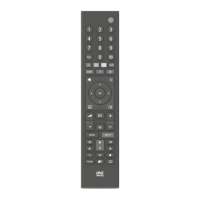
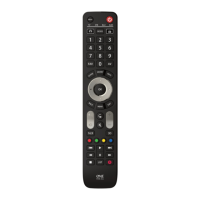
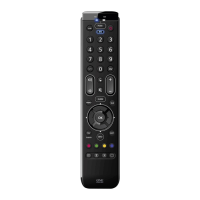
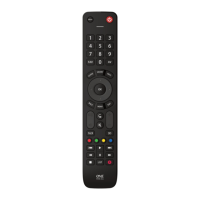
Thank you for purchasing the One For All Essence 8 Device Universal
Remote Control. The remote can be used to control up to 8 Audio
Video Devices such as a TV, Set Top Box, Blu-ray Player or Sound Bar.
This manual will help you to set up the Essence 8 to control all of your
devices.
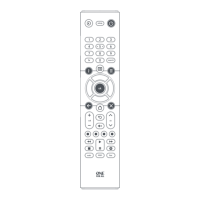
INTRODUCTION | KEY DESCRIPTIONS
1
Power Switches your devices on and o.
2
Setup This key is used to set up the Essence remote.
3
Input Used to select Input on devices.
4
Device keys These keys are used to select which device the Essence 8
currently controls. After pressing the TV key, the remote
will control your TV. To switch to controlling another
device, simply press the appropriate key. The devices that
can be programmed to each key are as follows:
TV: All televisions such as LED, LCD , Plasma, OLED etc.
OTT: Streaming devices such as an Apple TV, Roku Box,
Foxtel Now etc. Also works Xbox 360 and Xbox One.
STB:
Set Top Boxes, including Satellite, Cable and Freeview.
AUD: Audio devices including Sound Bars, AV Receivers
and Hi-Fi.
AUX: All televisions such as LED, LCD , Plasma, OLED etc.
BLU: Blu-ray Players and DVD Players / Recorders
DVD: DVD Players / Recorders and Blu-ray Players.
BAR: Audio devices including Sound Bars, AV Receivers
and Hi-Fi.
5
Playback Keys Control the playback of movies, music and TV.
6
Subt. Display subtitles.
7
Apps Brings up the Applications menu on Smart Devices such
as Smart TVs or Streaming boxes.
8
List Displays a list of recorded programmes.
9
Info Displays information about the current programmes or
channel.
10
Guide TV Guide.
11
Menu Access the installation menu of the current device.
12
Menu Directions and OK
Control the menu of the current device.
13
Back Back one step in the Menu.
14
Home Displays the Home Menu.
15
Exit Exits the menu.
16
Volume Up and Down
Control the volume of the current device. You can also
set up these keys to always control one device. For details
see the Volume Lock feature.
17
Last Channel Changes to the last channel viewed.
18
Mute Mutes the volume of the current device. You can also set
up this key to always control one device. For details see
the Volume Lock feature.
19
Channel Up & Down
Change channels on the current device.
20
RGYB keys
Quick access buttons for the menu of the current device.
21
Netix Netix
22
Digits Select channels on the current device. On Audio devices,
these keys will select individual inputs.
23
TV Return to live TV.
24
Search Search for media.
713430_1-3_21T_Printfile_URC1281_ESSENCE_8_RDN1150323.indd 3713430_1-3_21T_Printfile_URC1281_ESSENCE_8_RDN1150323.indd 3 22-03-2023 11:5122-03-2023 11:51


 To Next Page
 Loading...