WWW.ONEFORALL.COM 2
INSTALLING THE BATTERIES
2
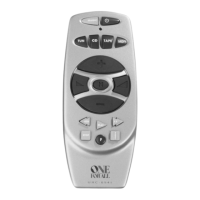
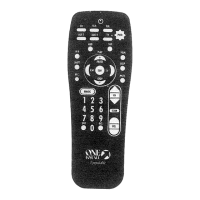
PICTURE OF THE ONE FOR ALL ZAPPER REMOTE
3
FEATURES AND FUNCTIONS
4
SETTING UP THE ZAPPER
Direct Set-Up 5
Search Method 7
Code Blink Out 8
SET-UP CODES
Television 59
ADVANCED OPERATION
Controlling Colour & Brightness 9
Scan 9
TROUBLE-SHOOTING
Helpful Hints 10
Installing The Batteries
Table of Contents
UK
The ZAPPER needs 2 new “AAA/LRO3” alkaline batteries.
1 Remove the battery cover from the back of the ZAPPER by pres-
sing down on the tab.
2 Match the batteries to the +/- marks inside the battery case, then
insert the batteries.
3 Press the battery cover back into place.
Important notes:
- In order to avoid having to reprogram your ZAPPER after you remove
the batteries, you will need to insert new batteries within 5 minutes.
Also, it is best that you do not use rechargeable batteries.
- On the inside of the battery compartment door you will find a
label on which to write your set-up code after your ZAPPER is set
up for your television. Please write down your code for easy,
future reference.









 To Next Page