17
EN
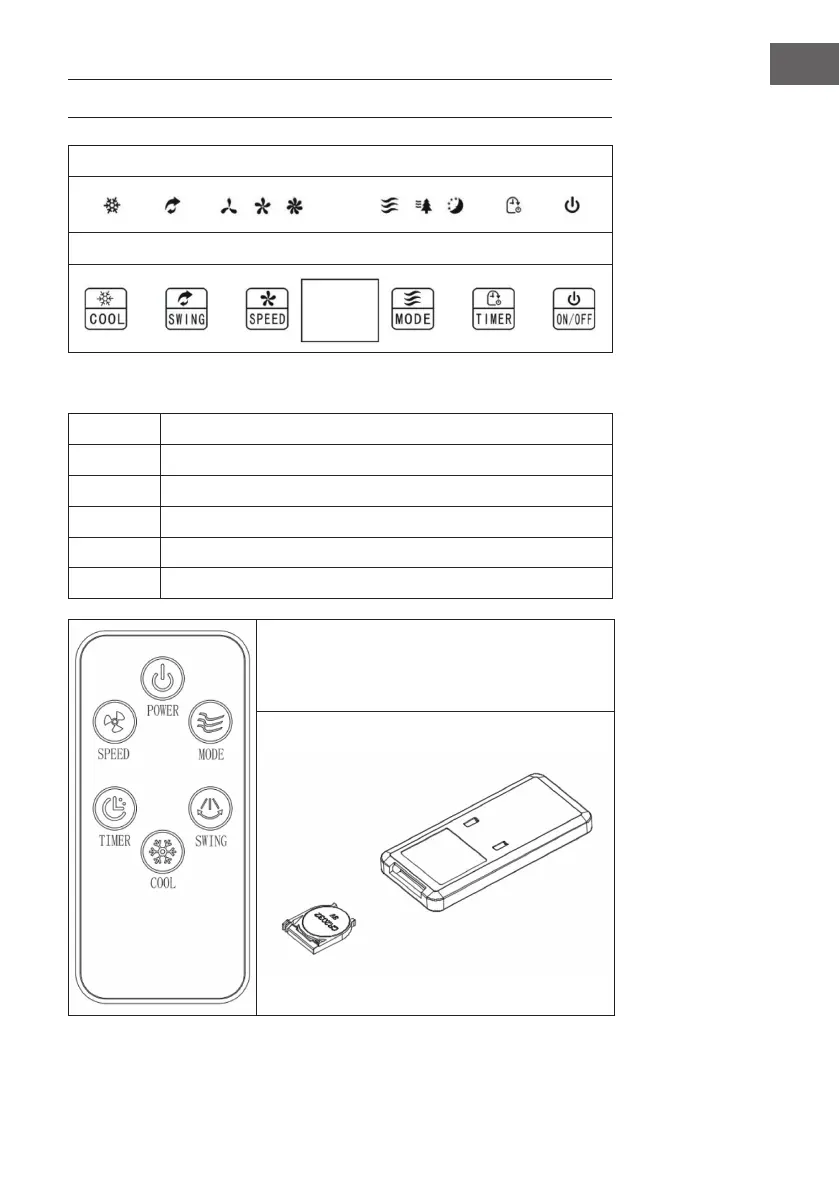
CONTROL PANEL AND DISPLAYS
Displays
Control Panel
Key functions of the control panel and remote control
ON/OFF Switch on/off the device.
SPEED Set speed: low > medium > high.
SWING Swing function left/right.
MODE Set wind mode.
TIMER Set timer: 1-12 hours
COOL Set cooling/air humidication.
To insert the batteries:
First, open the battery cover on the back of the remote
and insert a CR2032 battery.


 To Next Page