3- Operation Modes
Three operation mode: Preset Pick mode, Preset immediatemode, Direct mode.
Preset Pick mode - Setup code E1", the screen preset area displays the number of
the preset, DOWN
"
""/ "UP" switch selects the preset, the PC# in the preset will not
be sent until the "OK" switch is pressed.
PS: Only the PC1# on midi channel 1 will be displayed on the screen.
Preset immediatemode - Setup code E2",
"the screen preset area displays the number
of the preset, "DOWN"/"UP" switch selects the preset, the PC# will be sent immidiately.
PS: Only the PC1# on midi channel 1 will be displayed on the screen.
Direct mode: Setup code E3", the screen preset area displays “d”, DOWN"""/ "UP"
switch change the PC# which is sent immidiately on all16 midi channels.
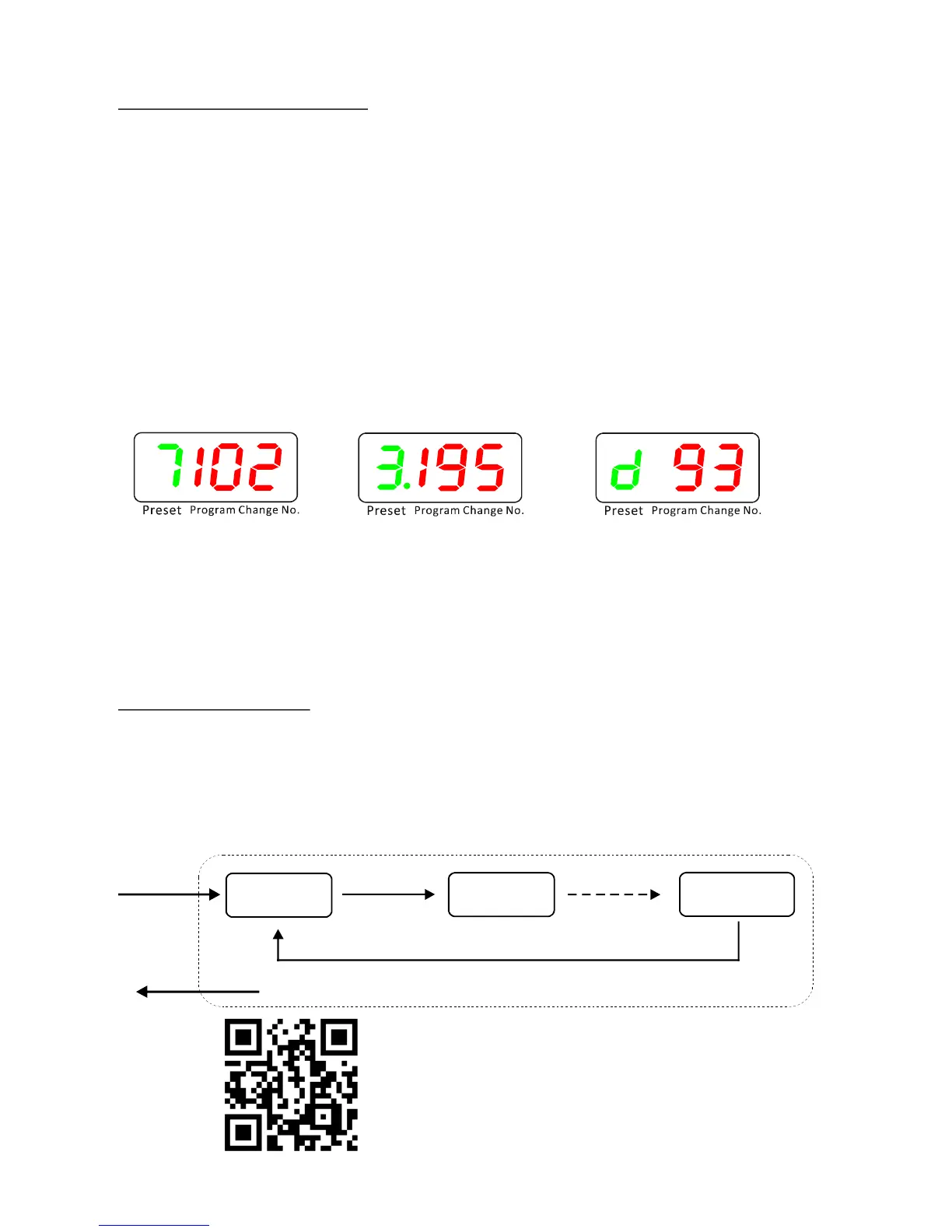
(Preset 7, PC1# is 102)
Example 1
Preset Pick Mode
(Preset 13, PC1# is 195)
Example 2
Preset Immidiate Mode
( PC#93 sent on all midi channels)
Example3
Direct Mode
User can setup the favorite operation mode as following steps - Hold the “OK/mode”
switch and power on the Gecko, the screen will show current operation mode
E1/E2/E3, press “DOWN”/UP” switch to change the mode code, hold “OK” to quit
setup.
“
4- Edit a Preset
In Preset pick/immediate mode, when a preset is recalled, hold “OK” footswitch for
2 seconds, Gecko starts to edit the PC# on midi channel 1, UP""/"DOWN" switch
changes the number, "OK" switch confirms the change, then goes to the PC# on
the next midi channel. The PC# range is 0~199, and “off”, the PC# will not be sent on
its channel if the PC# is set to “off”. Hold "OK" any time will quit preset edit.
Edit PC# on
Midi Channel 1
Hold “ OK”
Press “OK”
Edit PC# on
Midi Channel 2
Press “OK”
Edit PC# on
Midi Channel 16
Press “OK”
Hold “OK” to quit
Video tutorial link


 To Next Page
 Loading...