Voice prompt for low battery:
When battery is only enough for playing for 15 minutes, prompt will be given every five
minutes.
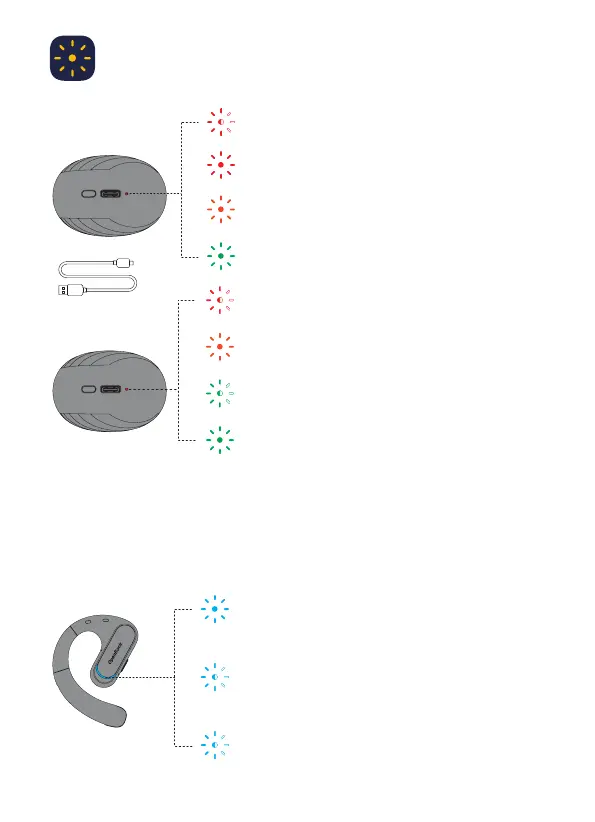
Charge the charging
case: 5V charger
0-10%: Red light flashes 5 times
11-20%: Red light stays on for 1s
21-50%: Red and green lights both stay on for 1s
51-100%: Green light stays on for 1s.
Blue light will stay on for 1s;
Connected to the device when
powered off/connected/standby
Blue light flashes: Pairing /disconnected
Blue light flashes quickly: Incoming call
3
0-20%: Red light flashes slowly
21-50%: Red and green lights flash slowly simultaneously
51-99%: Green light flashes slowly
100%: Green light stays on for 5 minutes then turns off
Battery display
Indicator light


 To Next Page