5
Screen View
The OnePlus 7T Pro 5G uses Full Optic AMOLED Display with a 19.5:9 aspect ratio,
providing an immersive viewing experience.
This is a 6.67-inch curved screen with a ne and smooth effect.
The resolution of the screen is 3120 x 1440 and the refresh rate is 90Hz.
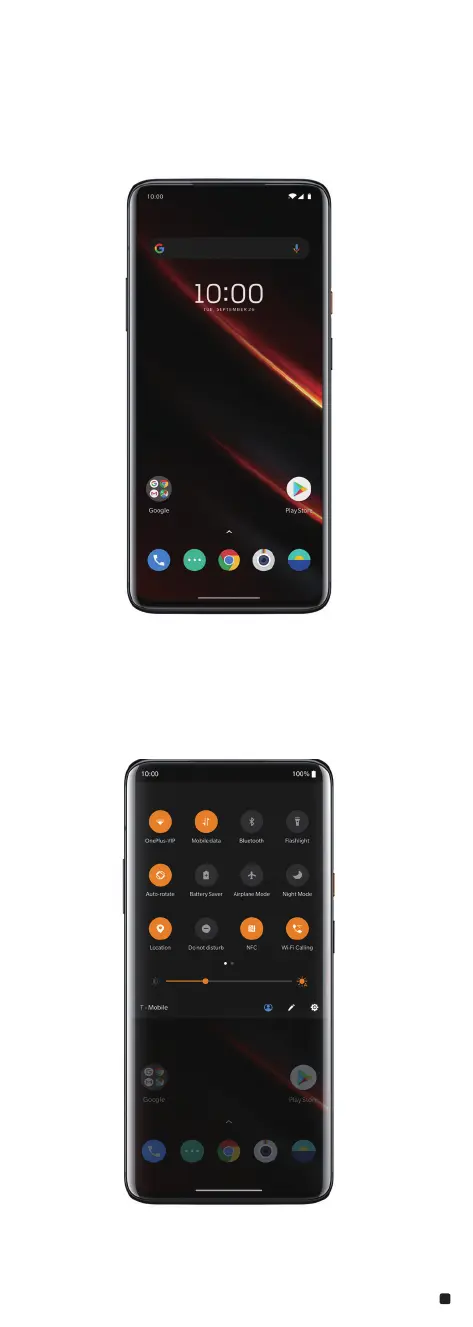
Home Screen
• Swipe up to open the apps panel.
• Swipe down from the top of the screen to open the status & notication bar.
• Swipe right to enter the Google
®
feed.
• Long touch the blank space on the screen to customize your screen.
• Long press the app icon to open the shortcut menu.
Notications & Status Bar
Notications alert you to the arrival of new messages, calendar events, and alarms. The
Two-Step-Status-Bar can easily get to frequently used settings.















 To Next Page