Installation (Cont.)
Mounting the microphone hanger
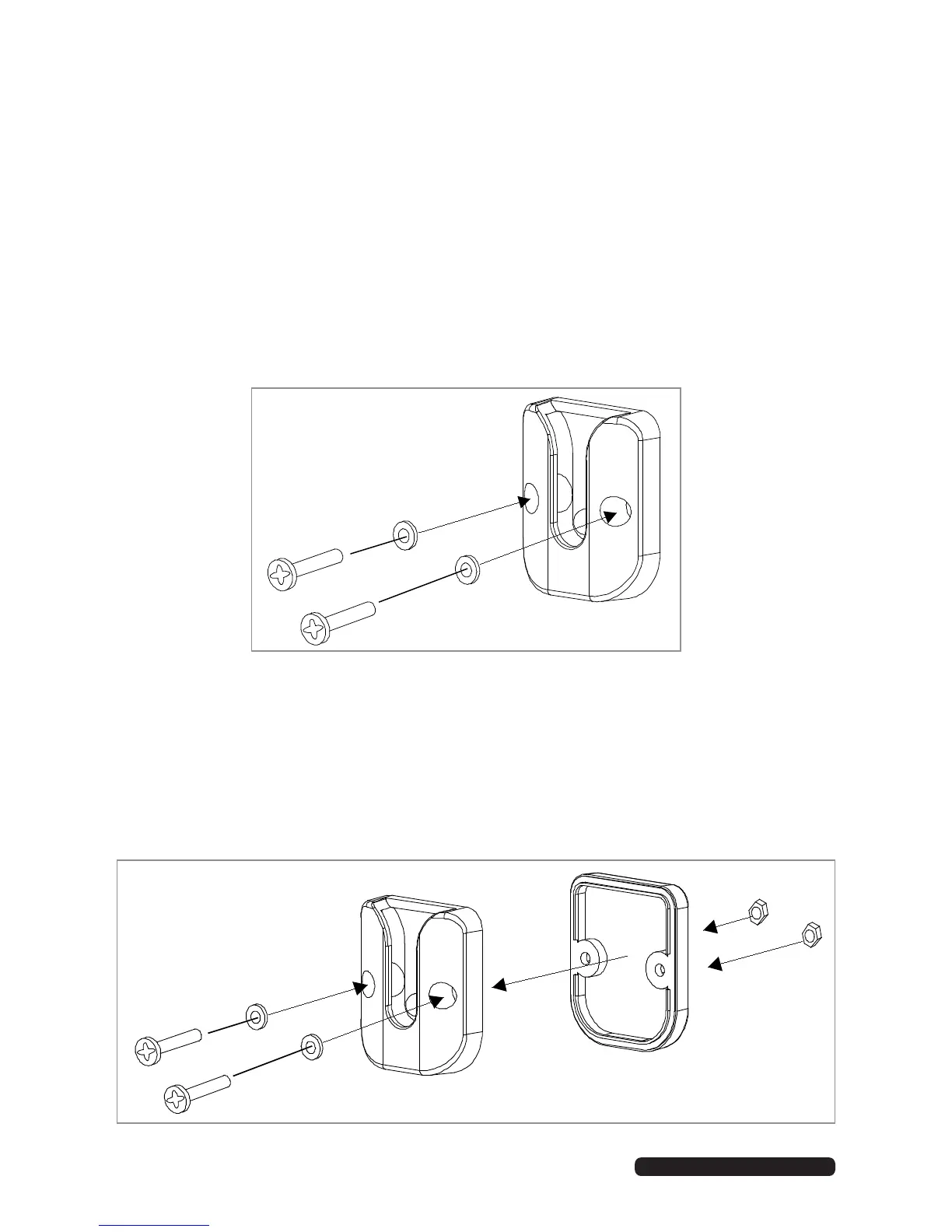
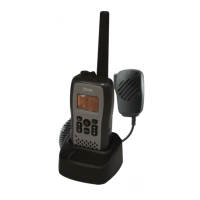
The microphone hanger comes in two parts. How and where you mount the
microphone hanger will determine which parts to use.
Conventional mounting with screws (supplied)
• Use the front part of the microphone hanger only.
• Locate a suitable mounting position and mark and drill two 3mm holes.
• Fix the microphone hanger into place with the supplied screws.
Conventional mounting with double-sided tape (not supplied)
• Secure the front and back pieces of the microphone hanger using the
supplied binding screws.
• Locate a suitable mounting position.
• Apply high quality double-sided tape onto the flat area of the back piece
of the microphone hanger and then press firmly to the mounting position.


 To Next Page