EasyManua.ls Logo

Onix ACB-628G1 - User Manual

Onix ACB-628G1
24 pages
Print Icon
To Next Page IconTo Next Page
Loading...
WARNING:
This unit must be installed by
a professional technician only
or the warranty will be void.
Instruction Manual
1300 886 649
Model: ACB-628G1
Customer Helpline
UHF CB Radio
with FM Transmission
Question and Answer IconNeed help?

Do you have a question about the Onix ACB-628G1 and is the answer not in the manual?

Summary

Warranty Information

Welcome Message

General Safety Instructions

Radio Unit Overview

Front and Rear Panel Identification

Identifies the controls, display, and connection ports on the front and rear of the radio.

Microphone and Accessories

LC Display and Icons

Key Features

Important Antenna Requirement

Highlights the requirement to purchase a CB antenna separately for operation.

Basic Operations

Default Initial Parameters

Lists the default settings selected when the radio is first powered on.

Channel Usage Information

Communication Modes

Squelch Level Adjustment

Instructions for adjusting the squelch level to filter out background noise.

Advanced Functions

Triple Watch and Repeater Operation

Instructions for using triple watch for monitoring and activating the repeater function.

Call Tones and CTCSS Codes

Guides on sending call tones and setting CTCSS private codes for communication.

Settings and Memory

DCS Codes and Power Settings

How to configure DCS codes, power levels, and VOX sensitivity.

VOX Sensitivity and Memory Storage

Details on setting VOX sensitivity and storing channels in memory.

Scanning Features

Channel and Code Scanning

Instructions for performing channel, CTCSS, and DCS code scans.

Memory Scanning and Call Tone Selection

Guides on memory scanning and selecting user-defined call tones.

User Preferences

Roger Beep and Key Tone Settings

Configuration options for Roger beep tones and key press tones.

Stopwatch Functionality

Instructions for using the built-in stopwatch feature of the radio.

Channel Frequency Table

CTCSS Frequency Table

DCS Frequency Table

Installation Guide

Important Mounting Considerations

Guidance on choosing a suitable location and avoiding obstructions for installation.

Microphone Connection Procedure

Step-by-step instructions for connecting the microphone to the radio.
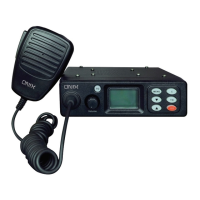
Cradle Mounting and Connections

Microphone Hanger Installation

Connecting Power Leads

Repair and Refurbished Goods Policy

Onix ACB-628G1 Specifications

General IconGeneral
BrandOnix
ModelACB-628G1
CategoryRadio
LanguageEnglish

Related product manuals