EasyManua.ls Logo

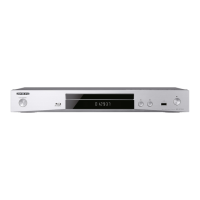
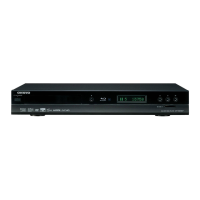
Onkyo BD-SP308 - User Manual

Onkyo BD-SP308
44 pages
Print Icon
To Next Page IconTo Next Page
Loading...
BLU-RAY DISC PLAYER
BD-SP308
Instruction Manual
Thank you for purchasing an Onkyo BLU-RAY DISC
PLAYER. Please read this manual thoroughly before
making connections and plugging in the unit.
Following the instructions in this manual will enable
you to obtain optimum performance and listening
enjoyment from your new BLU-RAY DISC
PLAYER.
Please retain this manual for future reference.
Contents
Safety Information.........................2
Preparation ....................................5
Installation ...................................11
Operation .....................................23
Maintenance.................................32
Troubleshooting ..........................33
Appendix......................................35
E
n

Table of Contents

Other manuals for Onkyo BD-SP308

Questions and Answers

  • J
    Jason DavisAug 19, 2025
    Why is there no sound from my Onkyo BD-SP308 Blu-ray Player, or why is the sound distorted?
    • E
      Erica CabreraAug 19, 2025
      To resolve the issue where there is no sound or the sound is distorted on your Onkyo Blu-ray Player: * Ensure the audio connections are securely connected. * Verify the input source setting on the amplifier or the connection to the amplifier is correct. * Confirm the unit is not in scan, slow motion, or pause mode. * Check the sound volume is at an audible level. * Ensure the connected amplifier is compatible with the audio format output from the player. * If using the HDMI OUT jack, confirm it is not connected to a DVI device, as DVI jacks do not accept audio signals. * If using the HDMI OUT jack, check that the connected device is compatible with the audio format output from the player.
  • A
    April StephensAug 21, 2025
    Why is my Onkyo BD-SP308 remote control not working properly?
    • W
      Willie ButlerAug 21, 2025
      To resolve the issue of the remote control not working properly with your Onkyo Blu-ray Player: * Ensure the remote control is pointed at the remote sensor of the unit. * Make sure the remote control is not too far from the unit. * Remove any obstacles in the path between the remote control and the unit. * Replace the batteries in the remote control if they are exhausted.
  • S
    staceyyoungAug 23, 2025
    How to fix no picture on Onkyo Blu-ray Player?
    • R
      Robert SmithAug 23, 2025
      To resolve the issue of having no picture on your Onkyo Blu-ray Player: * Select the appropriate video input mode on the TV so the picture from the unit appears on the TV screen. * Ensure the video connection is securely connected.
  • J
    Joel MorrisAug 26, 2025
    How to fix BD-LIVE feature that does not work on Onkyo BD-SP308 Blu-ray Player?
    • D
      drhodesAug 26, 2025
      To fix the BD-LIVE feature not working on your Onkyo Blu-ray Player: * Connect USB storage with at least 1GB free space, if the connected USB storage may not have enough space. * Make sure the unit is correctly connected to the local area network and can access the internet. * Contact your Internet Service Provider (ISP) and increase the broadband speed as recommended, if your broadband speed may not be fast enough to use the BD-LIVE features. * Set the “BD-LIVE connection” option in the “Setup” menu to “Permitted,” if it is set to “Prohibited”.
  • P
    Pamela RuizAug 28, 2025
    What to do if my Onkyo BD-SP308 Blu-ray Player is not operating normally?
    • W
      Wendy PerryAug 28, 2025
      To resolve the issue of the unit not operating normally, you can reset your Onkyo Blu-ray Player: 1. Press and hold the 9 ON/STANDBY button for at least five seconds. This will force the unit to power off then turn the unit back on. 2. If this doesn't work, unplug the power cord, wait at least five seconds, and then plug it in again.
  • P
    Pamela WilsonAug 30, 2025
    Why does picture noise appear on my Onkyo Blu-ray Player?
    • G
      Gina RobinsonAug 30, 2025
      To resolve picture noise appearing on your Onkyo Blu-ray Player: * Ensure you are not playing a disc recorded in a color system that is different from your TV. * Set to a resolution that your TV accepts.
  • P
    Paul HarrisSep 1, 2025
    What to do if my Onkyo BD-SP308 does not start playback?
    • J
      Jessica LangSep 2, 2025
      To address the issue of the unit not starting playback on your Onkyo Blu-ray Player: * Insert a playable disc, checking the disc type, color system, and regional code. * Place the disc with the playback side down. * Ensure the disc is placed correctly on the disc tray inside the guide. * Clean the disc. * Cancel the Rating function or change the rating level.
  • L
    lopezyeseniaSep 4, 2025
    How to fix Onkyo Blu-ray Player when the power does not turn on?
    • L
      Luis AndersonSep 4, 2025
      To resolve the issue of the power not turning on for your Onkyo Blu-ray Player, plug the power cord into the wall outlet securely.
  • F
    floresericSep 6, 2025
    Why can't I use the Netflix feature on my Onkyo BD-SP308 Blu-ray Player?
    • J
      Jessica JacksonSep 6, 2025
      Netflix is available only in the United States. Also, check the network connection. Visit netflix.com/Onkyo on your PC and become a Netflix member.
  • L
    Linda CoxSep 8, 2025
    How to add movies or TV episodes to the instant Queue on Onkyo Blu-ray Player?
    • A
      Alexandra RothSep 8, 2025
      Visit netflix.com on your PC, as adding movies or TV episodes on this unit is not available.

Summary

Safety Information

Important Safety Instructions

Comprehensive list of essential safety guidelines for using the apparatus.

Precautions

Detailed precautions related to recording, care, power, hearing, and handling.

Laser Product and Compliance

Details about the Class 1 laser product and regulatory compliance for U.S. and Canadian models.

Preparation

Introduction and Symbols

Overview of the product, symbol meanings, and disc compatibility information.

Supplied Accessories

Lists all the accessories included with the Blu-ray Disc Player for setup and use.

Disc and File Compatibility

Details on playable discs, file formats, region codes, and system requirements for optimal playback.

Remote Control Overview

Detailed description of the remote control buttons and their functions.

Front and Rear Panel Layouts

Identification and explanation of the front and rear panel controls and connectors.

Installation

Connecting to Your TV

Guides on connecting the player to a TV using HDMI, Component, or Video/Audio connections.

Component Video Connection

Instructions for connecting the player to a TV using component video and audio cables.

Video;Audio Connection

Steps to connect the player to a TV using standard video and audio cables.

Resolution Setting

How to adjust the video output resolution for HDMI and Component connections.

Connecting to an AV Receiver

Guides for connecting the player to an AV receiver via HDMI or Digital/Analog Audio outputs.

Digital Audio Output Connection

Instructions for connecting via digital audio coaxial output for improved sound.

2 Channel Audio Output Connection

Steps to connect the player to an AV receiver using analog stereo audio cables.

Home Network Connection

Guide to connecting the player to a home network for internet services like BD-LIVE and Netflix.

USB Device Connection

How to connect and play files from a USB storage device.

Operation

General Playback and Disc Menus

Basic operations for playing discs, including playback controls and accessing disc menus.

Advanced Playback Controls

Detailed playback functions like repeat, zoom, and marker search for better viewing.

Search and Scene Memory

Functionality for searching playback points and recalling the last viewed scene.

On-Screen Display and Audio Selection

How to view playback information and select different audio tracks or languages.

Playback Adjustments

Options to change subtitle language, camera angle, TV aspect ratio, and picture mode during playback.

BD-LIVE and Netflix Features

Using BD-LIVE functions and activating/watching content streamed from Netflix via the internet.

Playing Movie Files

Instructions for playing movie files, selecting subtitles, and adjusting subtitle display.

Viewing Photo Files

How to view photo files and use options like slide shows and music selection.

Listening to Music

How to play audio CDs and music files, and play music during a photo slide show.

Maintenance

Notes on Discs and Handling

Guidelines for handling, storing, and cleaning discs and the player unit.

Troubleshooting

Troubleshooting Common Issues

Solutions for common problems related to power, playback, picture, sound, and network features.

Appendix

AV Receiver Control

Instructions on how to control an AV receiver using the provided remote control.

Area Code List

A list of area codes used for DVD video disc rating and playback region settings.

Language Code List

A comprehensive list of language codes for setting audio and subtitle preferences.

Subtitle Code List

A list of code pages for proper display of subtitle files.

Trademarks and Licenses

Information on trademarks, logos, and licenses associated with the product and its components.

Audio Output Specifications

Detailed specifications for various audio output formats and connections.

Video Output Resolution

Specifications for video output resolutions supported for different media and connections.

Product Specifications

Technical details including signal system, audio/video outputs, power, and compatibility.

Open Source Software Notice

Legal notice regarding the use of open source software components in the product.

Network Service Disclaimer

Disclaimer concerning third-party content and services accessed via the network.

Onkyo BD-SP308 Specifications

General IconGeneral
Dynamic range (1kHz)86 dB
Frequency response CD4 - 20000 Hz
Frequency response DVD4 - 44000 Hz
Signal-to-Noise Ratio (SNR)100 dB
Backlight colorOrange
Disc types supportedBD-R, BD-RE, BD-ROM, CD, CD-R, CD-RW, DVD, DVD+R, DVD+R DL, DVD+RW, DVD-R, DVD-R DL, DVD-RW
Optical disc diameter120 mm
Number of optical discs1 discs
Depth209 mm
Width435 mm
Height53 mm
Weight2000 g
Device typeDVD player
Form factorSet-top
Ethernet LANYes
HDMI version1.3a
Package depth298 mm
Package width520 mm
Package height129 mm
Package weight3000 g
AC input voltage200-240 V
AC input frequency50 - 60 Hz
Supported video modes1080i, 1080p, 576p, 720p
USB 2.0 ports quantityUSB 2.0 ports have a data transmission speed of 480 Mbps, and are backwards compatible with USB 1.1 ports. You can connect all kinds of peripheral devices to them.
Audio formats supportedMP3, WMA
Image formats supportedJPG, PNG
Video formats supportedDIVX
Analog signal format systemNTSC, PAL
Operating temperature (T-T)5 - 35 °C
Power consumption (standby)0.1 W
Power consumption (typical)20 W
Operating relative humidity (H-H)5 - 90 %

Related product manuals